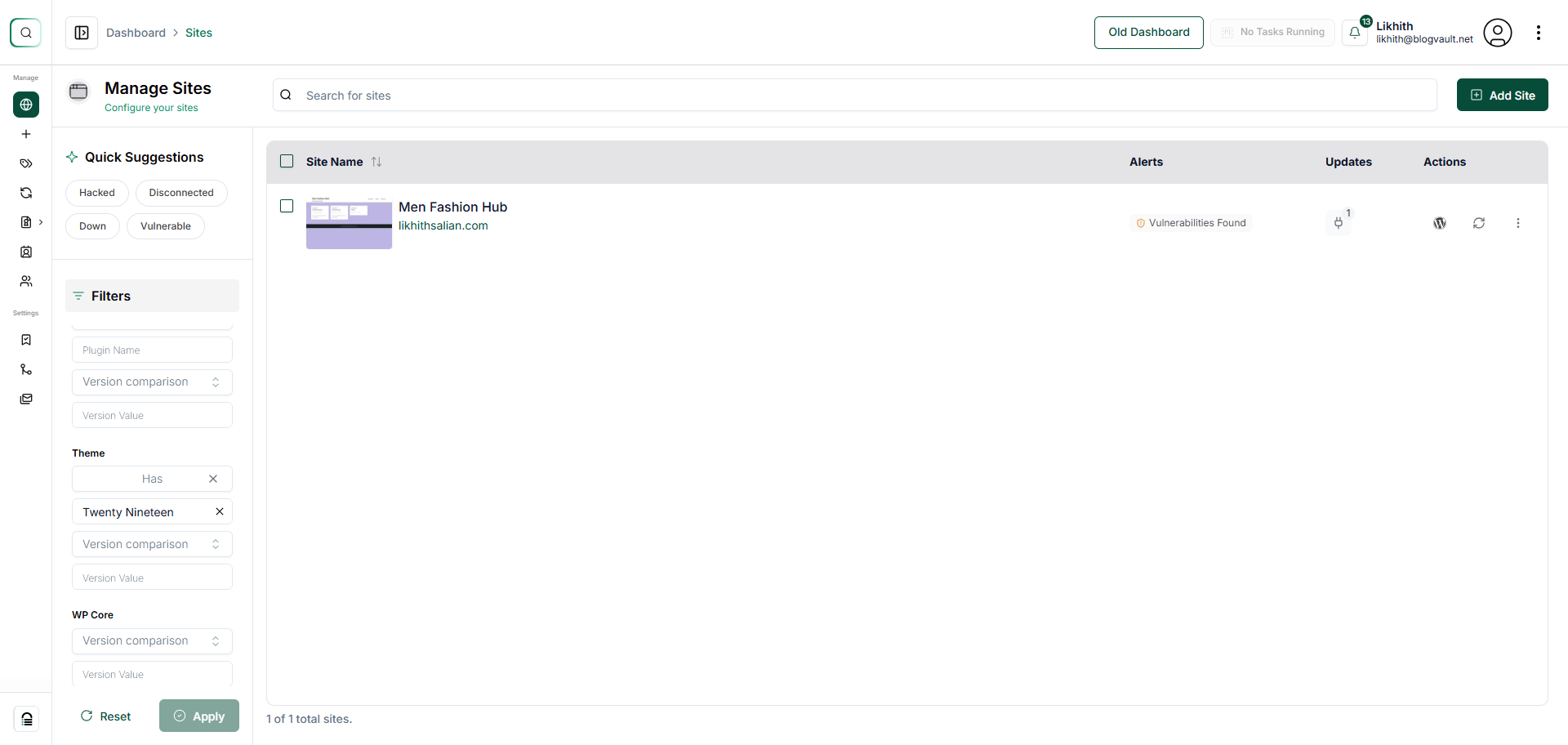
How Do I Search for a Specific Theme on Any of My Websites in My Account?
Step 1 of 5
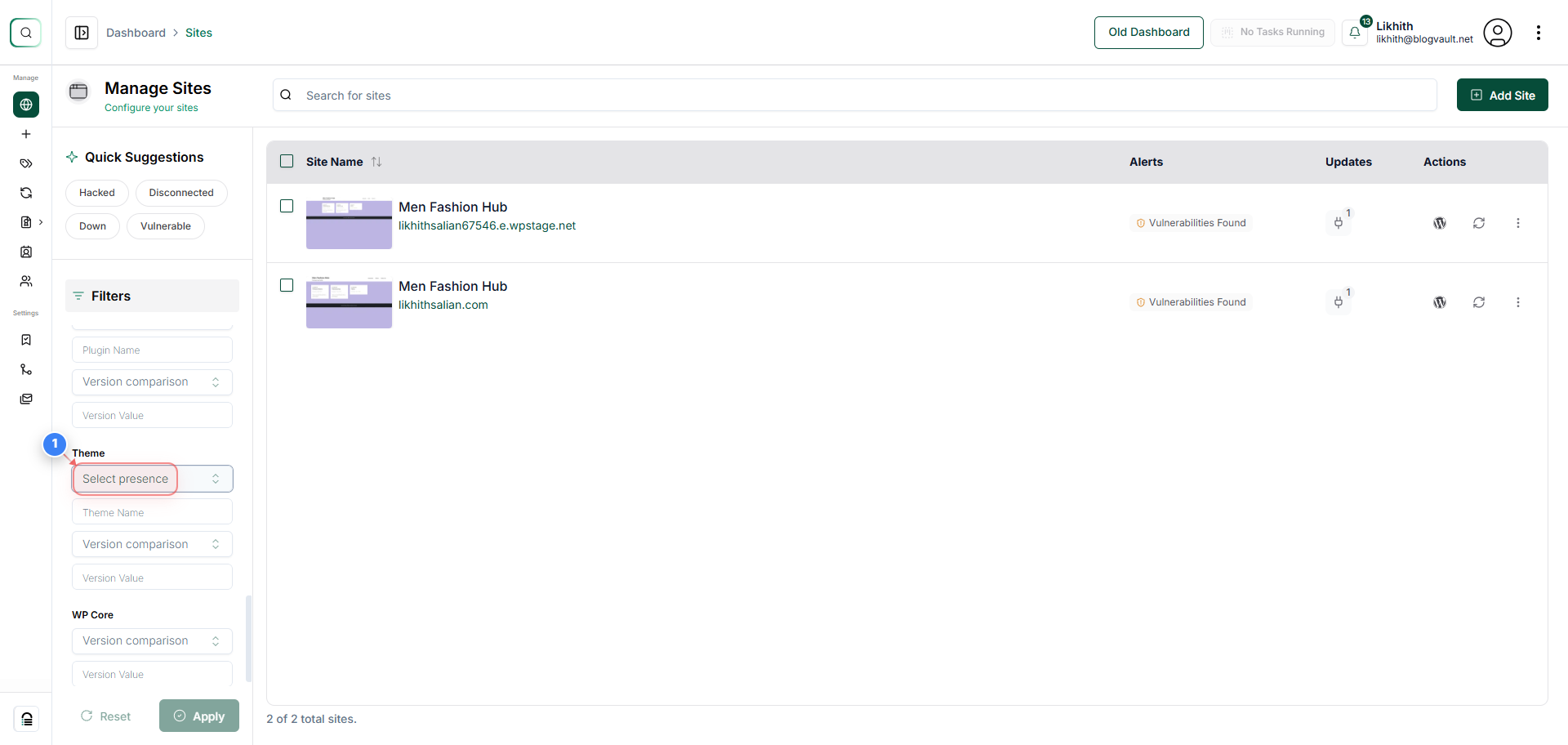
Choose Theme Filter Type
Click on the Select presence dropdown in the Filters panel on the left to choose how you want to filter sites by theme.
Step 2 of 5
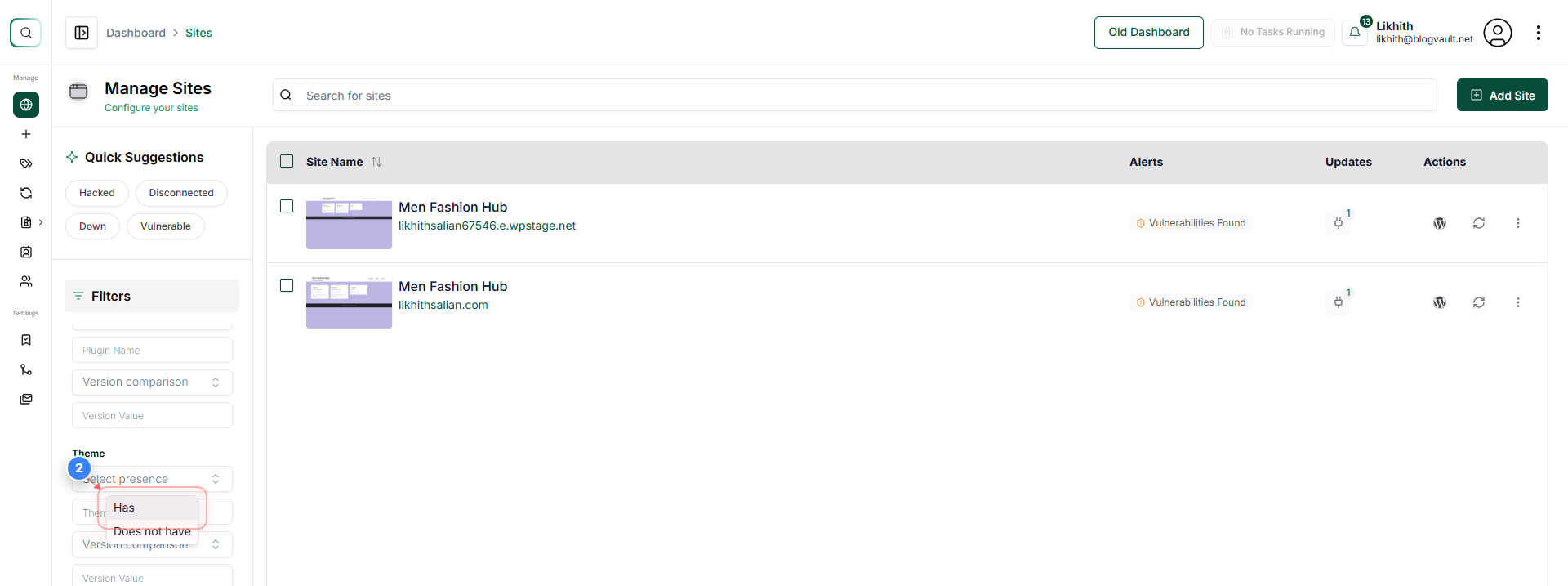
Select Filter Condition
Click the Has option in the theme filter list to show only the sites that contain the specified theme.
Step 3 of 5
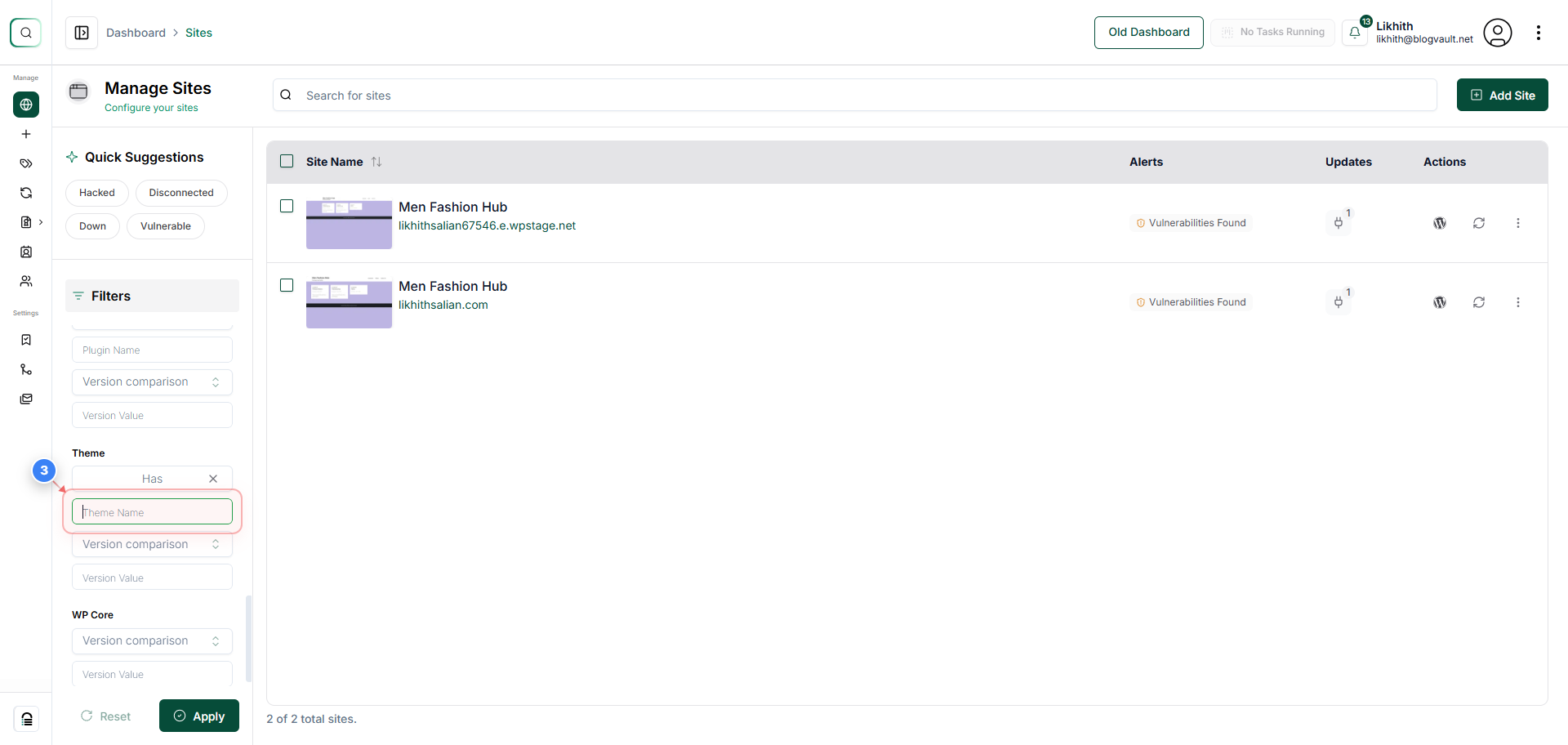
Enter Theme Name
Click inside the Theme Name text field in the Filters panel and enter the theme you want to search for.
Note: Typing the exact theme name yields the most accurate matching results.
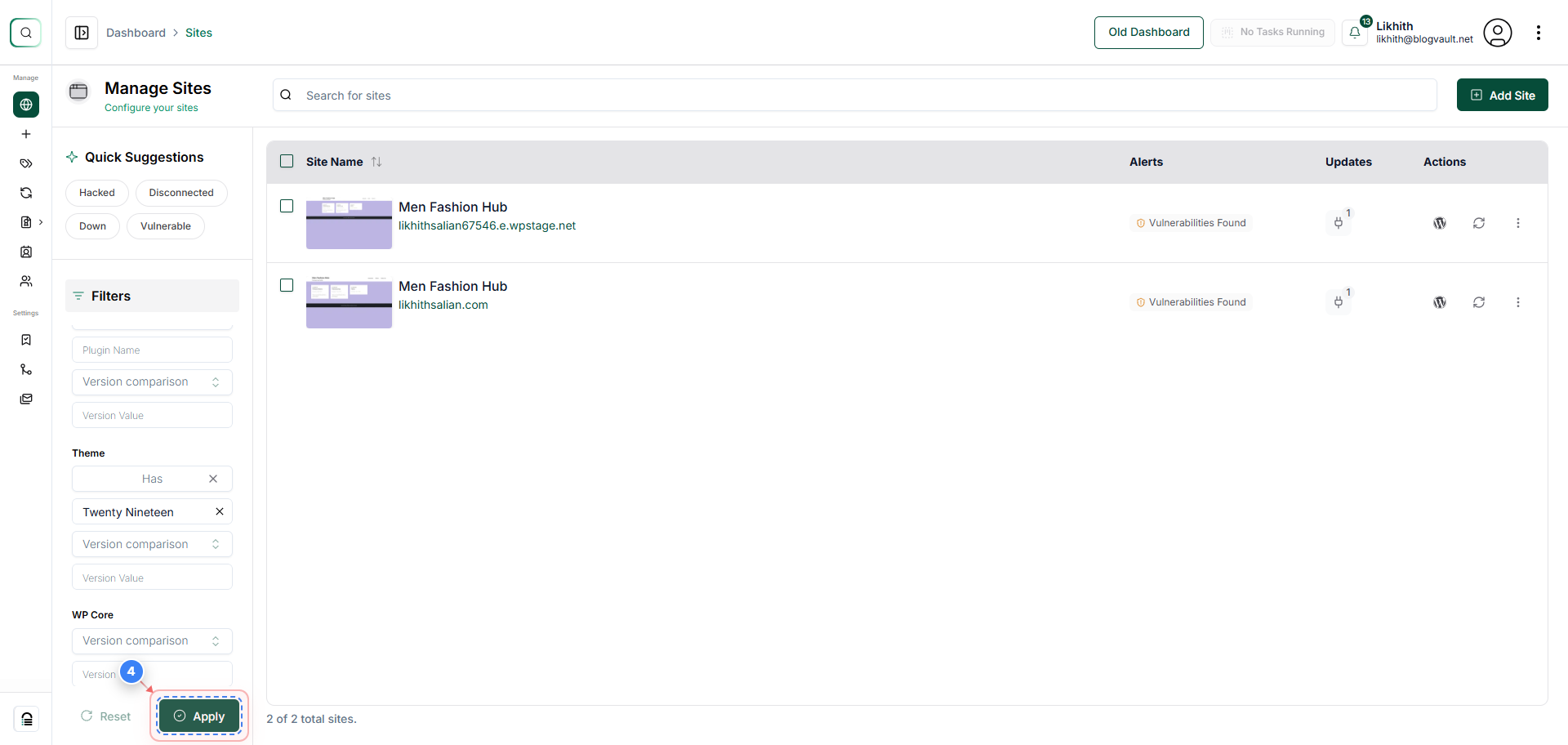
Step 4 of 5
Apply Theme Filters
Click the Apply button at the bottom of the Filters panel to list only the sites that match your selected theme criteria.
Step 5 of 5
Review Filtered Sites
Review the sites list showing only the sites that have the theme you filtered for, along with their update status, alerts, vulnerabilities, and actions.