How Do I Search for a Specific Site on the Dashboard?
Step 1 of 5
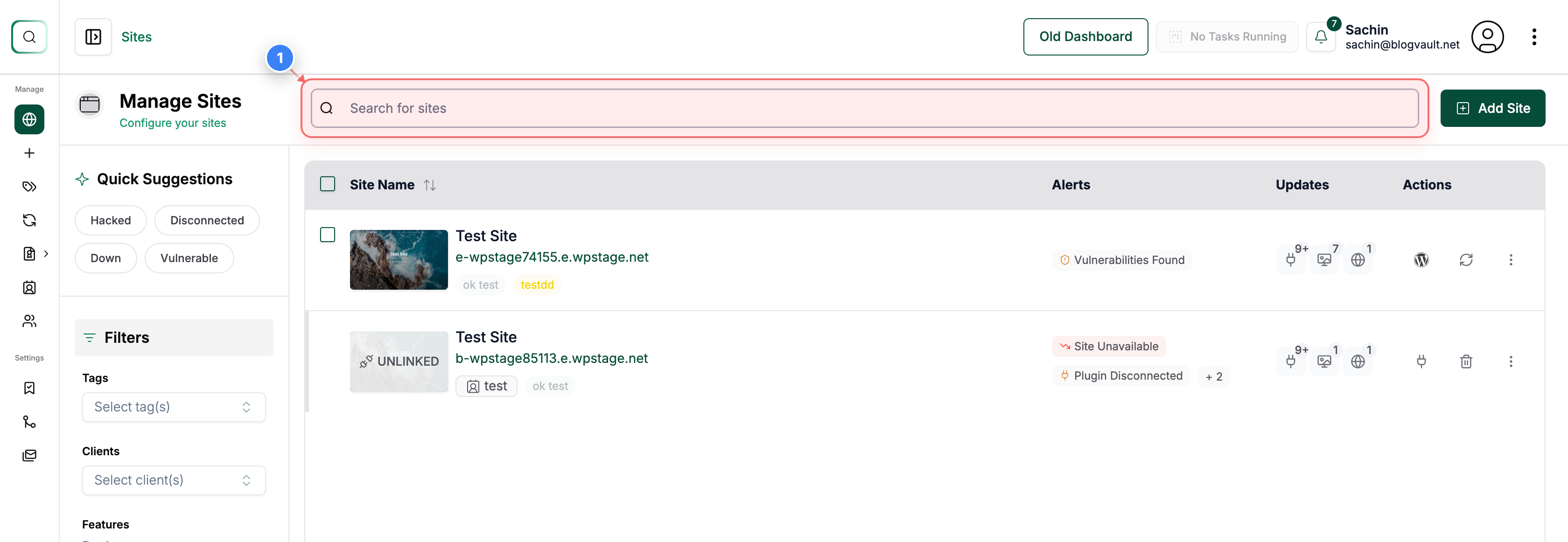
A) Search for a Site
Click the Search for sites field in the top section of the Sites dashboard to look up a specific site.
Step 2 of 5
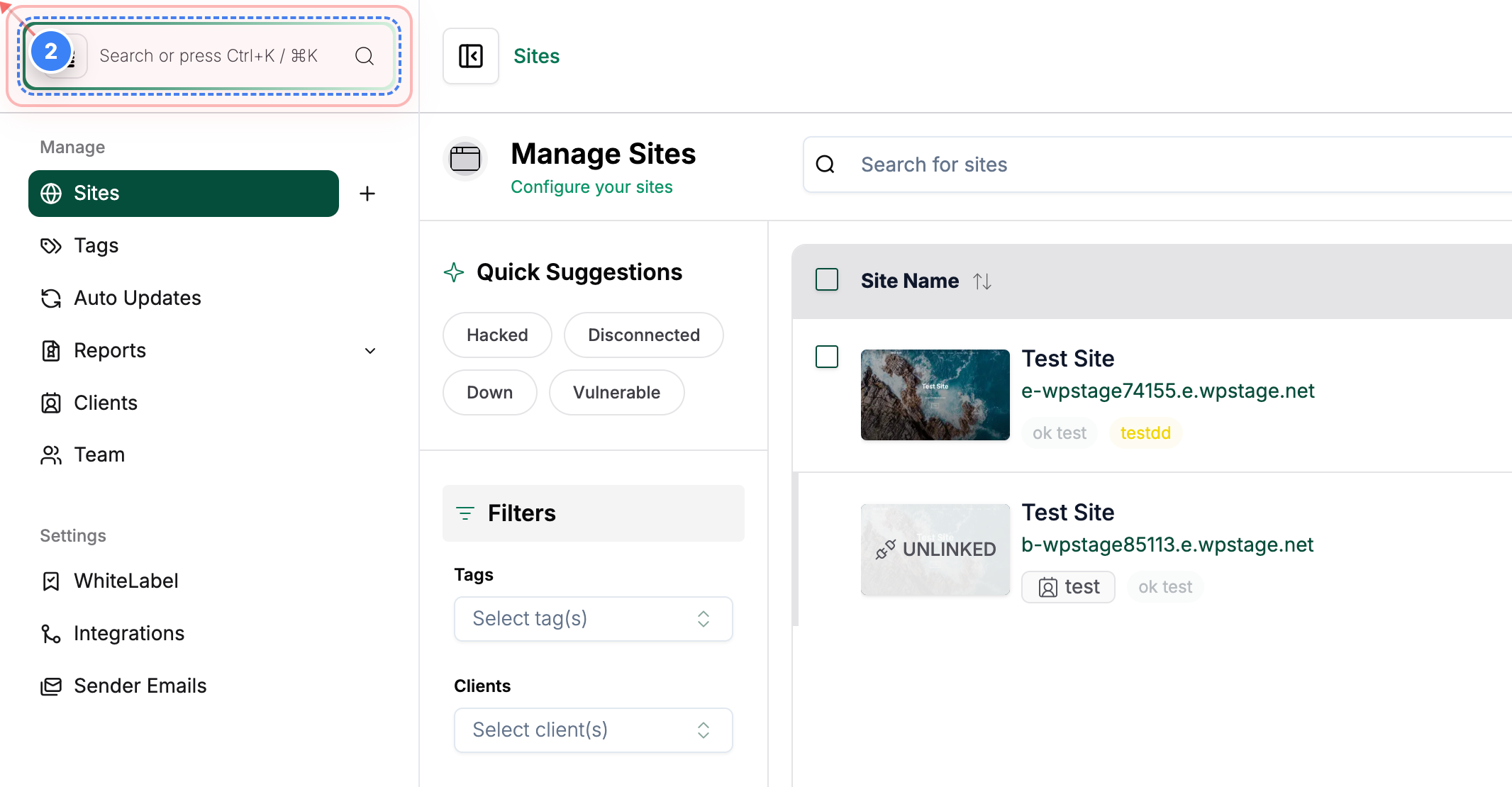
B) Quick Search
Click the search button in the top-left area to access advanced search options.
Step 3 of 5
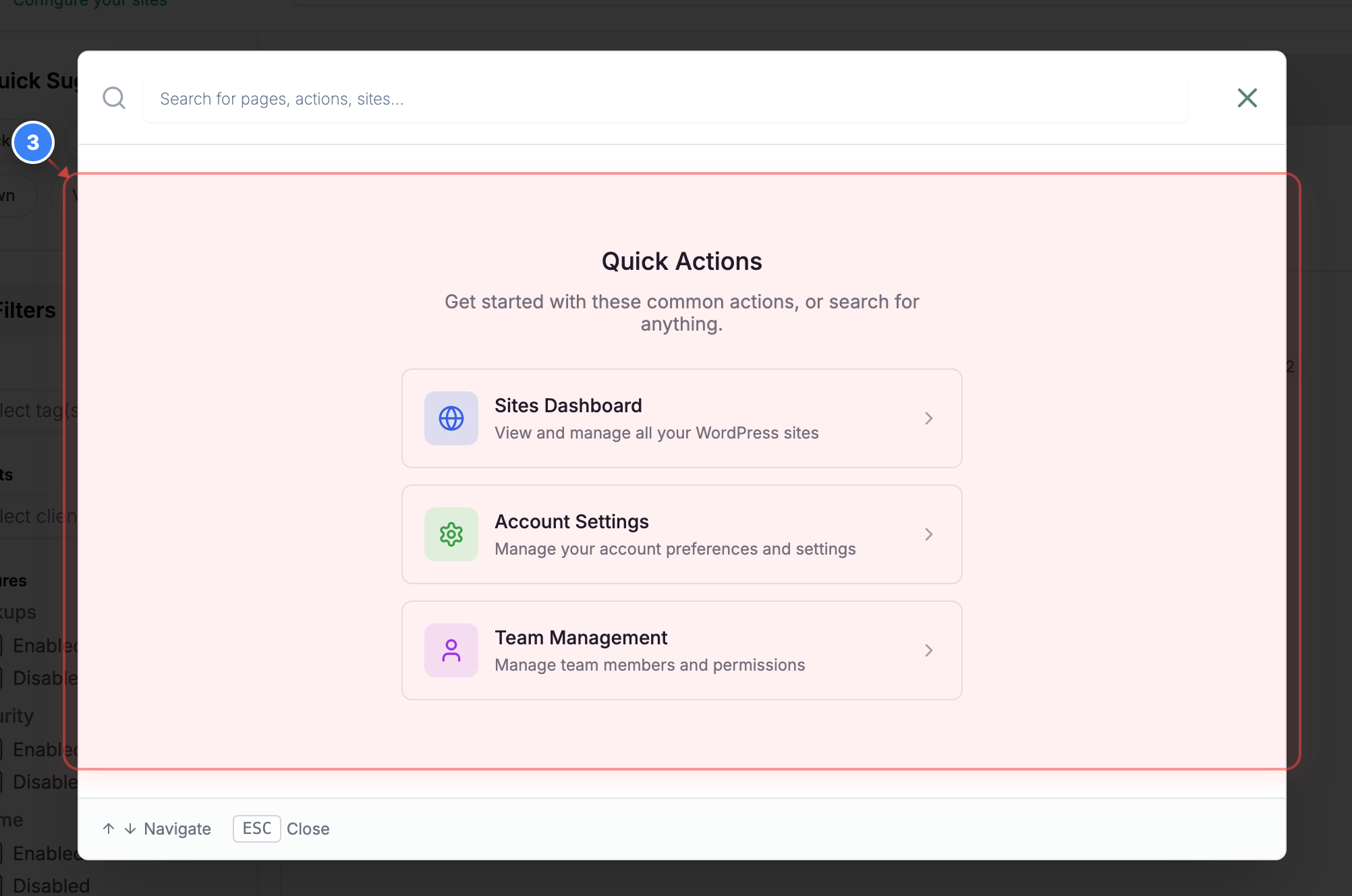
B) Quick Search -> Quick Actions
View the Quick Actions panel in the center of the page to access commonly used actions. Sites Dashboard / Account Settings / Team management to get the page's access quickly.
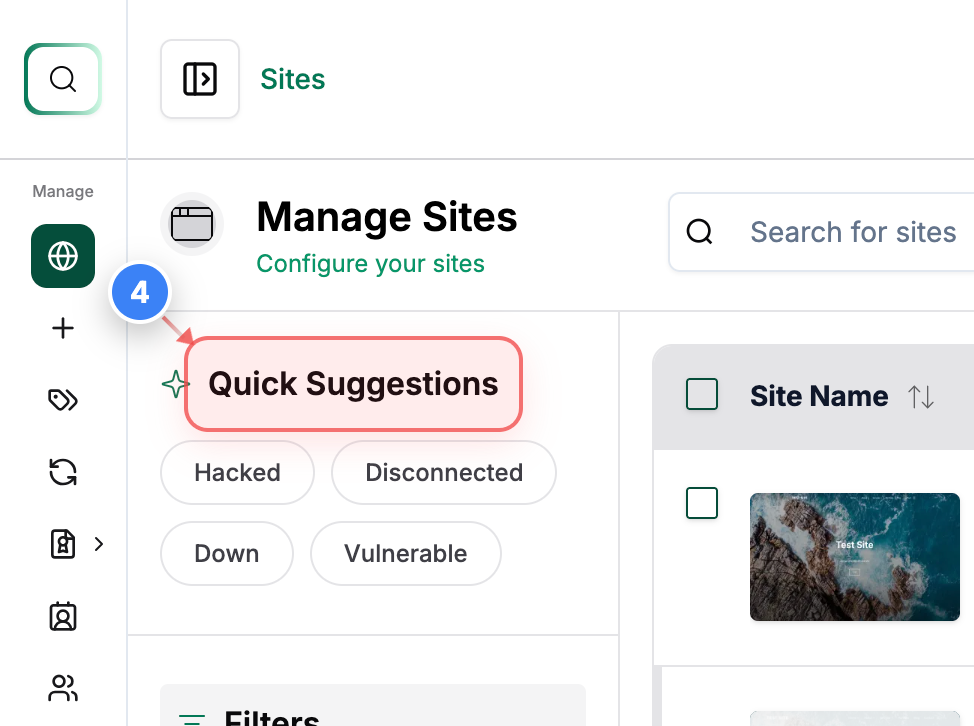
Step 4 of 5
C) Quick Suggestions
See the Quick Suggestions section in the top-left area to explore site status shortcuts like Hacked, Disconnected, Down, or Vulnerable.
Step 5 of 5
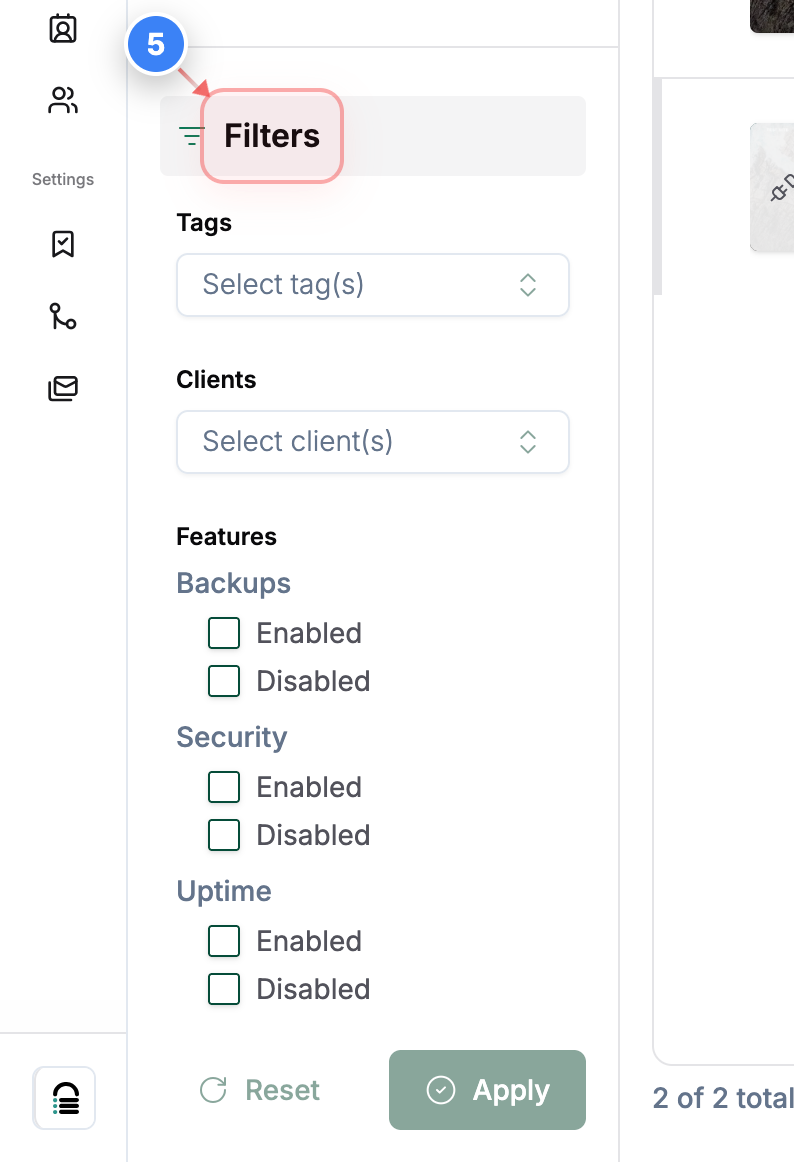
D) Filters
Click the Filters option on the left side to refine your site list based on conditions such as status, connection state & other attributes. You will see the list of features when you scroll down in the filters tab.