How to create FTP account in cPanel?
Step 1 of 3
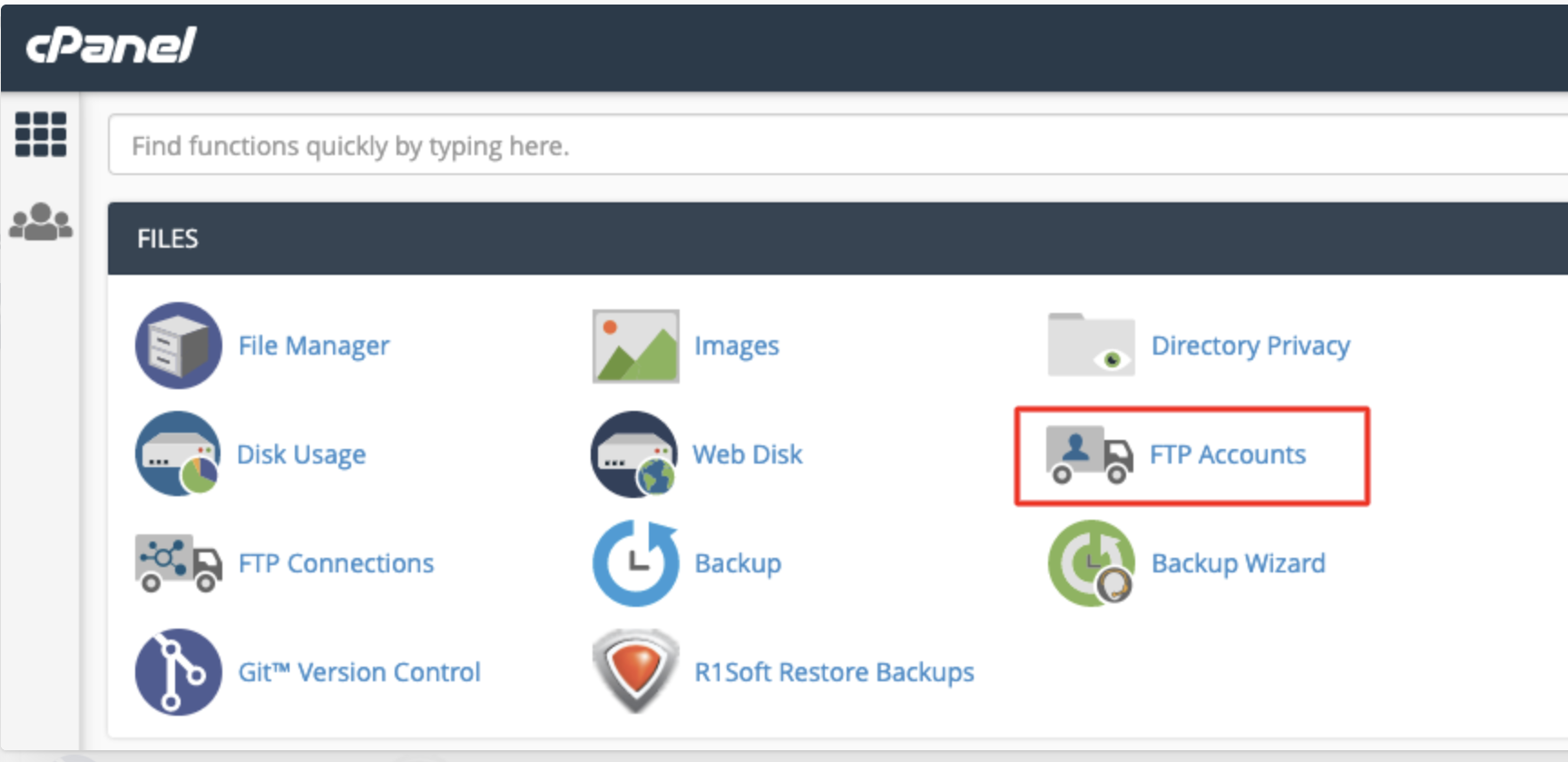
Access FTP Accounts in cPanel
Log in to your cPanel dashboard and click on 'FTP Accounts' to begin creating a new FTP account.
Note: If you don't have access to cPanel, contact your web hosting provider's support team to get login details or assistance.
Step 2 of 3
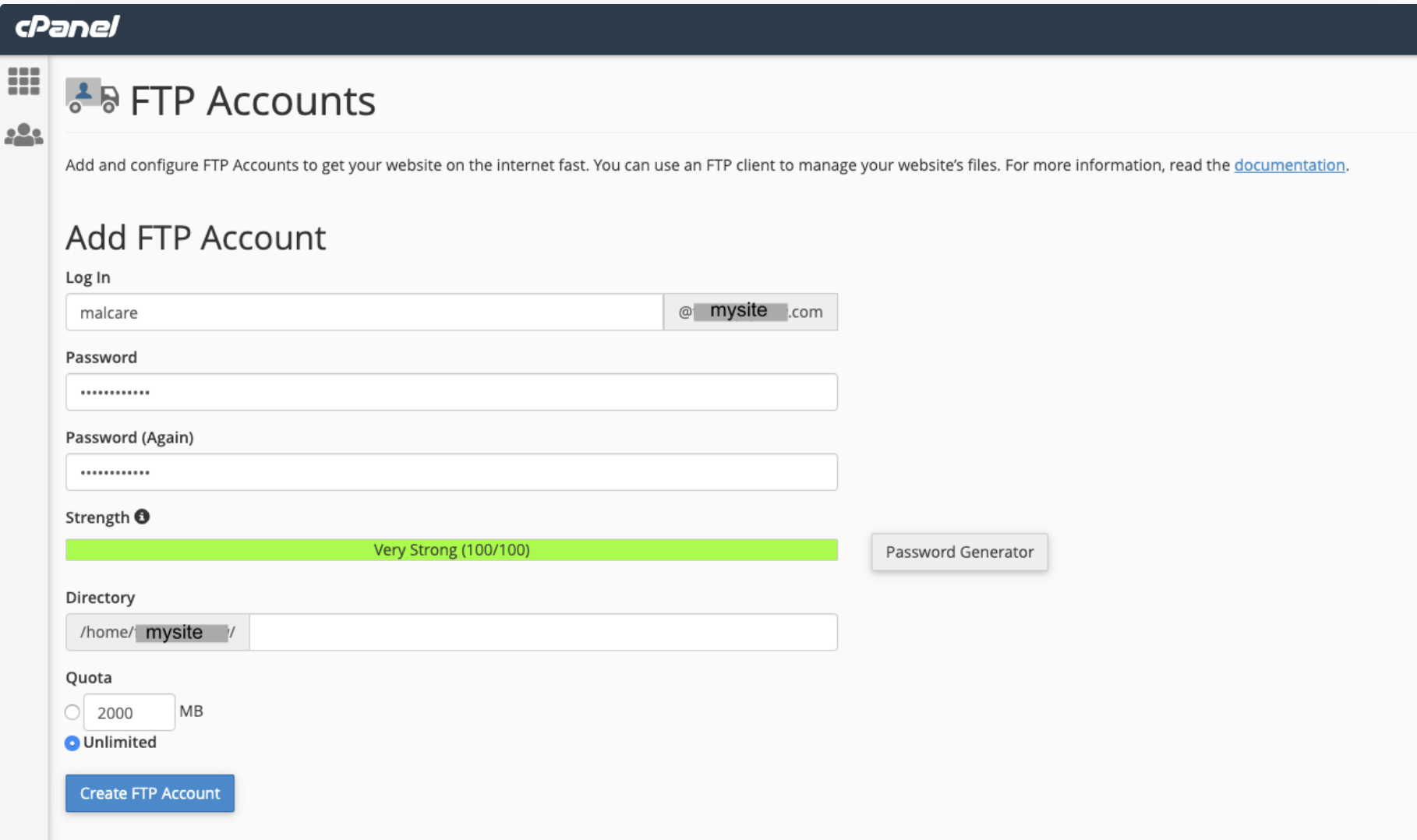
Create a New FTP Account
Fill in the details to create a new FTP account by entering a username and password of your choice. Remove the default directory path so the input field is blank, giving the account access to all folders in '/home/mysite/'. Then click 'Create FTP Account'.
Note: Keep your login details saved at safe place.
Step 3 of 3
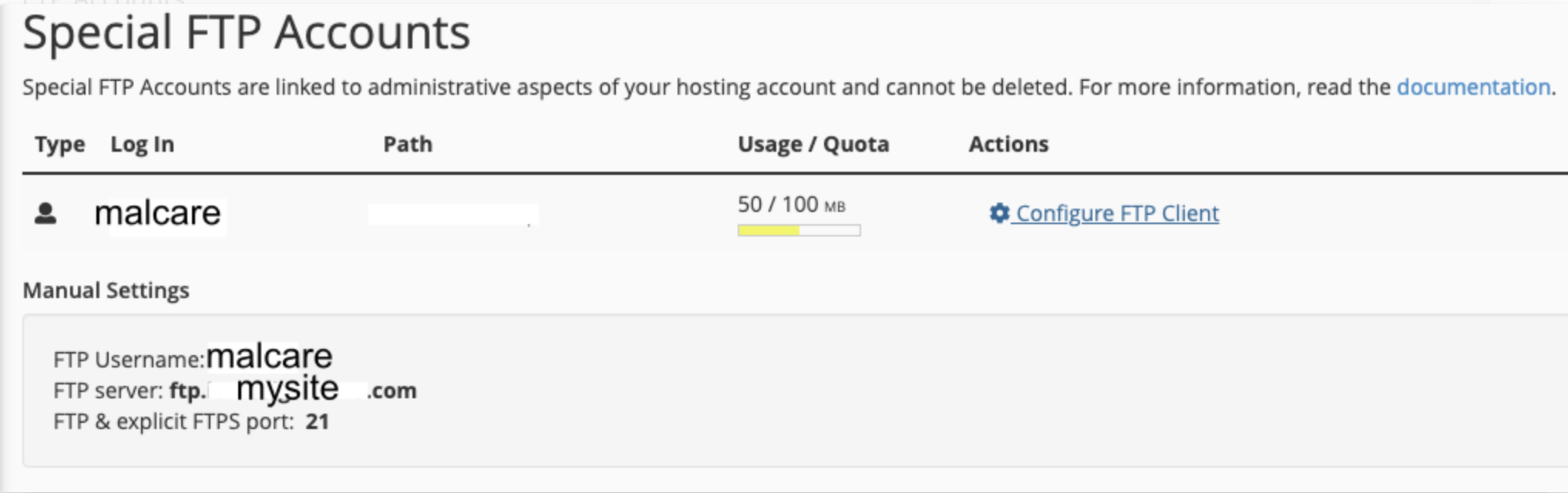
Use FTP Details for MalCare Connection
Use the newly created FTP credentials to connect MalCare to your website securely for site management and scanning.
Note: If you face issues during the process, reach out to your web host for help.