How to Find Details of the Vulnerability Identified on the Website?
Step 1 of 4
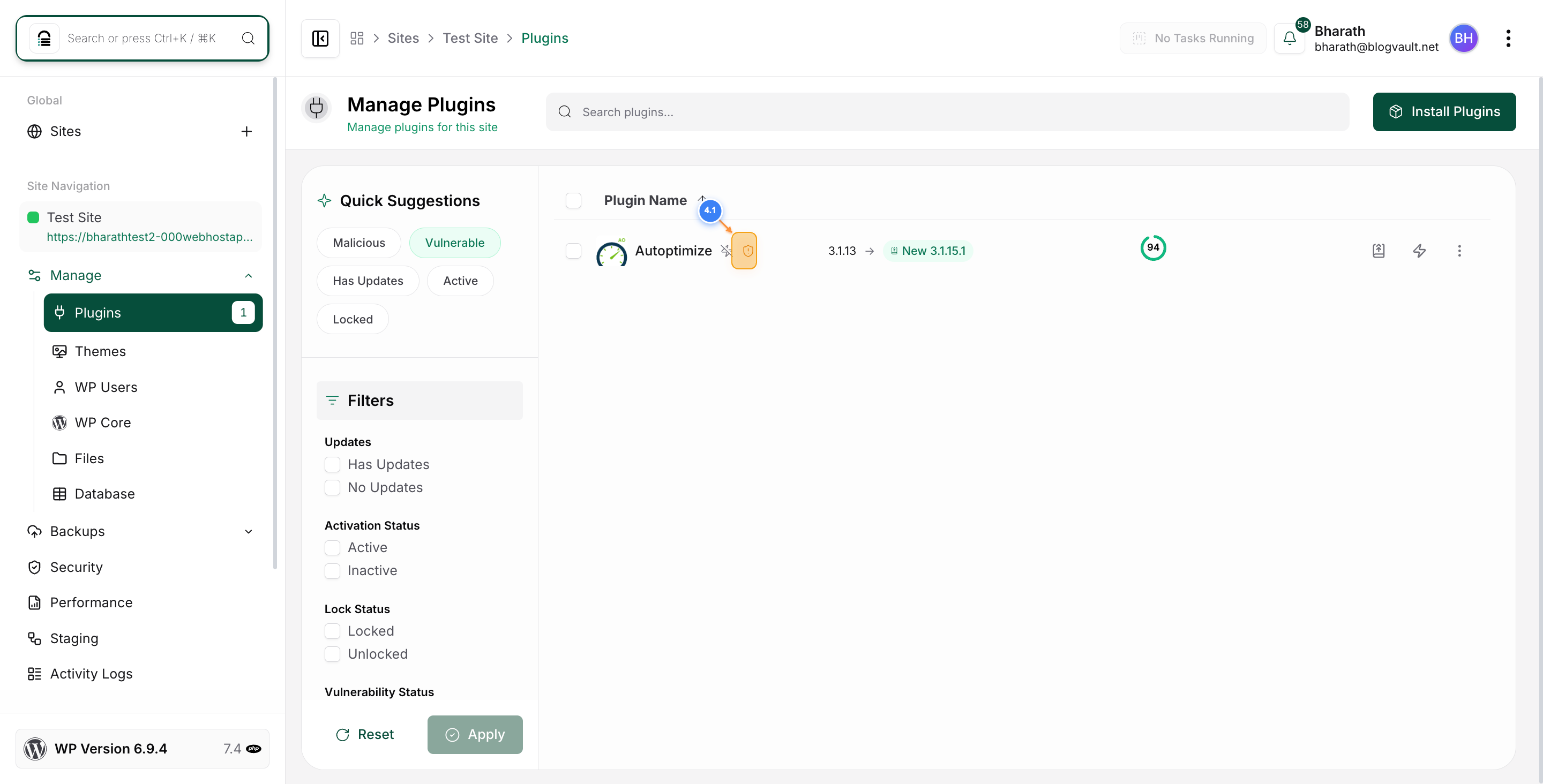
Select Your Website
Click on your website in the main dashboard area to open its management options.
Step 2 of 4
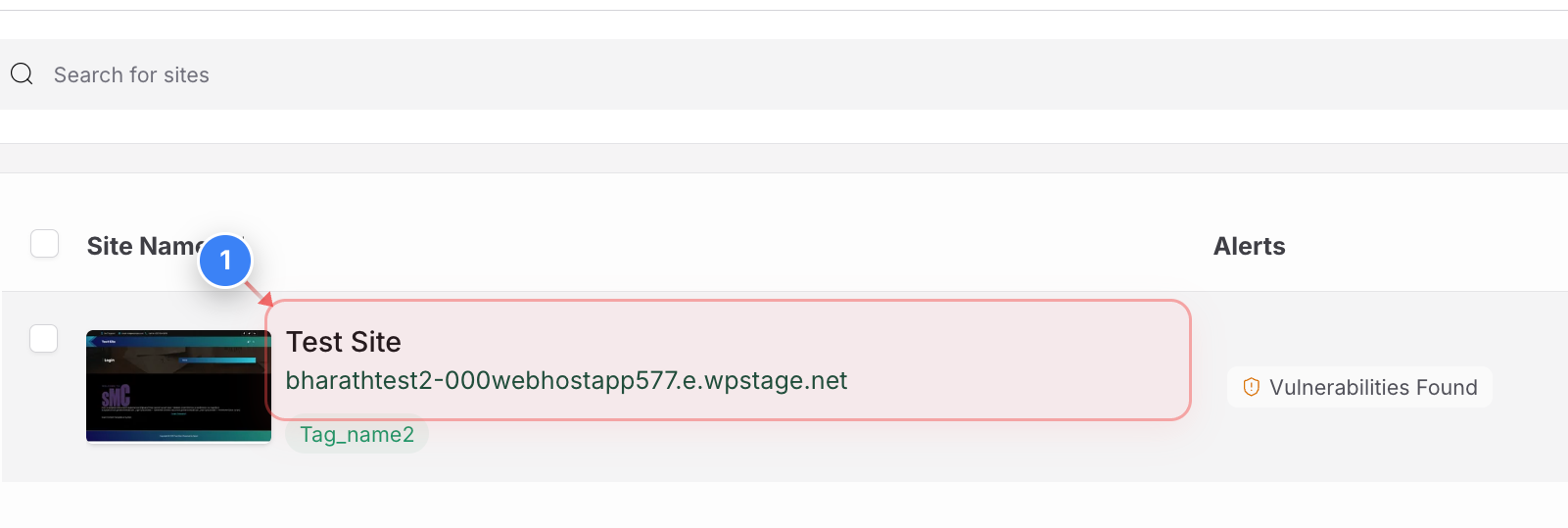
Access Plugin Management
Click on the Manage drop-down and select the "Plugins" option in the left sidebar to view all installed plugins for your website.
Note: A notification badge shows the number of plugins with available updates.
Step 3 of 4
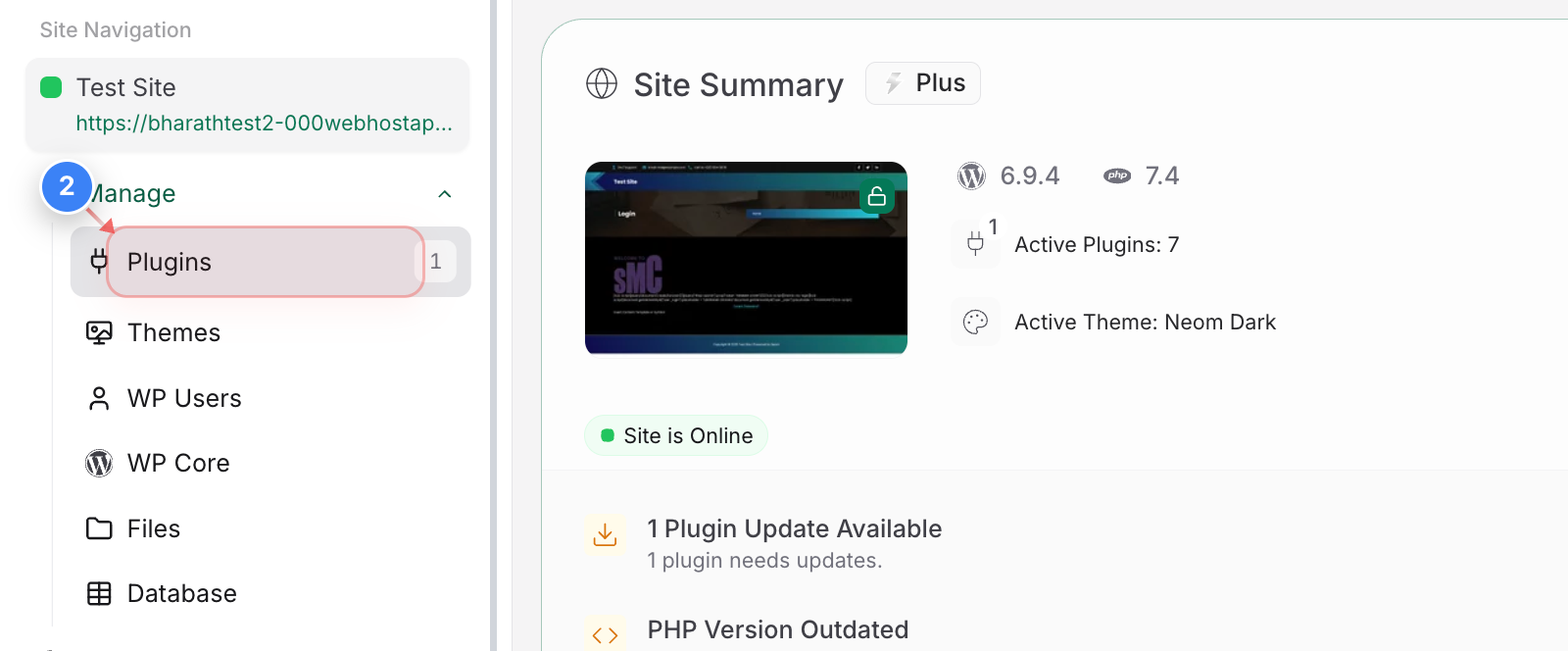
Filter Vulnerable Plugins
Click the "Vulnerable" filter button at the top of the plugins page to display only plugins with known security vulnerabilities.
Note: Other filter options include Malicious, Has Updates, Active, and Locked statuses.
Step 4 of 4
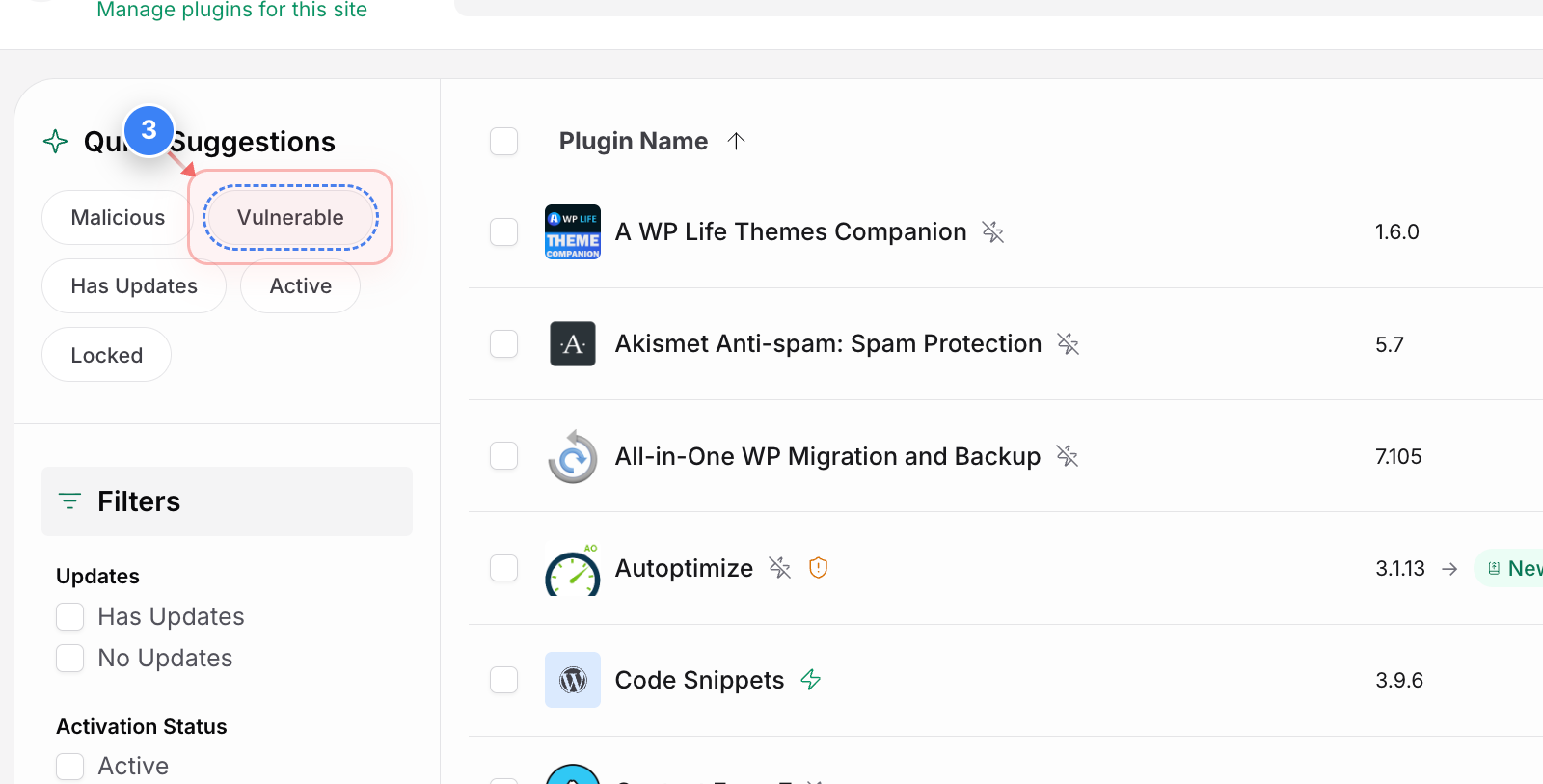
Review Vulnerable Plugins
The plugins page now shows only vulnerable plugins. You can click on the warning icon to find the details of the vulnerabilitiy. Review each plugin's name, current version, available update version, and vulnerability status to determine which need immediate attention.