How Do I See Hacked Files Before Running a Cleanup?
Step 1 of 5
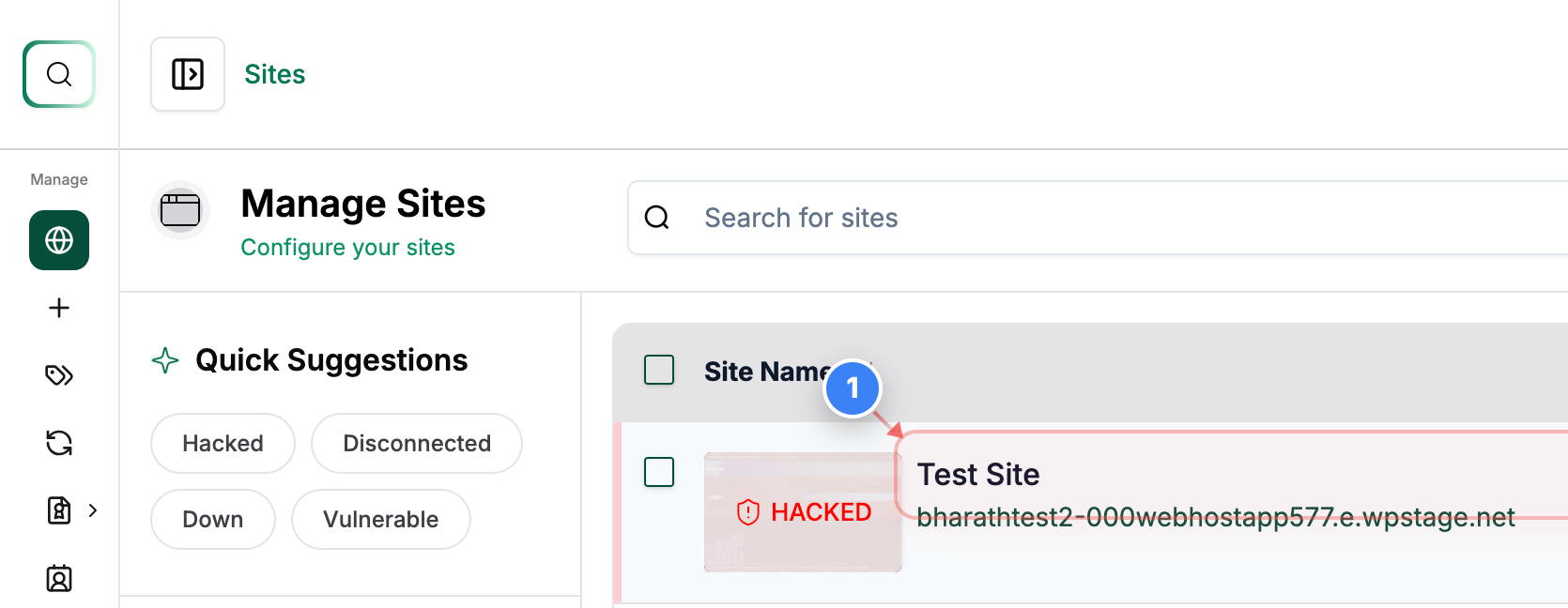
Open the Site Dashboard
Click on the Site (Showing Hacked Status) in the Sites list to open its management dashboard and access security tools.
Note: Use this to view all tools and status panels for the selected site.
Step 2 of 5
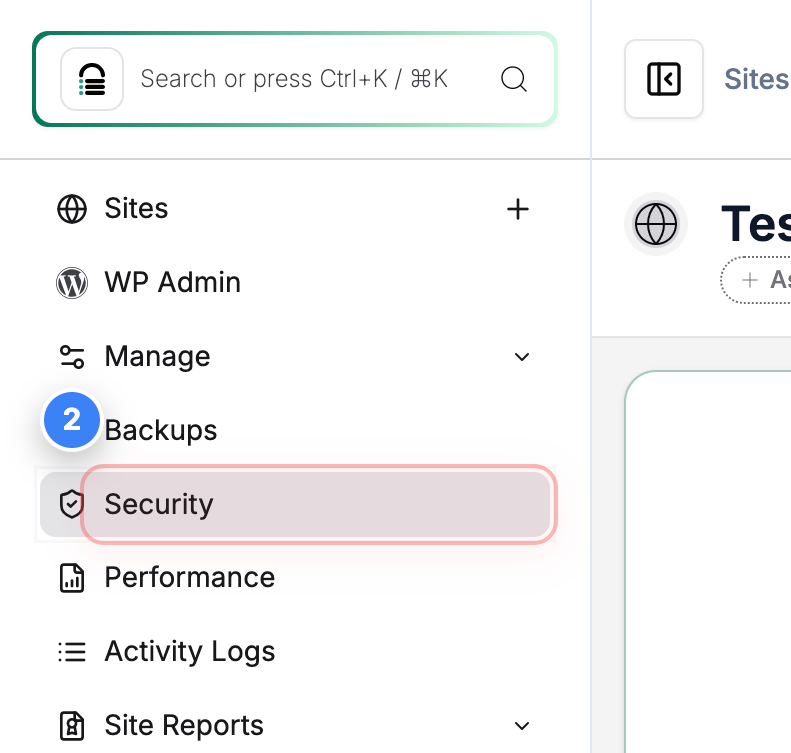
Go to Security Section
Click the Security option in the left sidebar to view malware scan results and available cleanup actions.
Note: This section shows recent scans, active alerts, and recommended actions.
Step 3 of 5
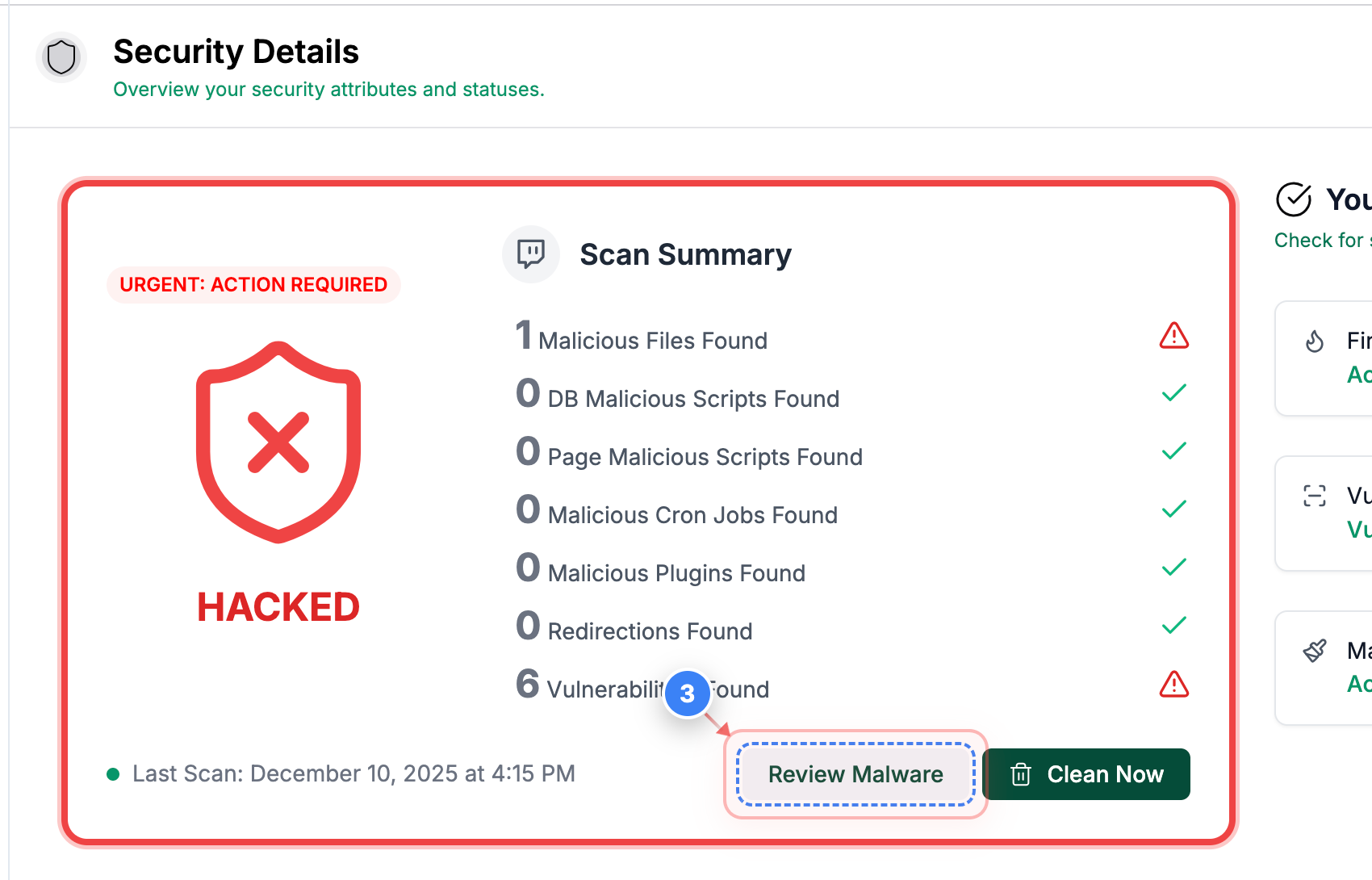
Review Malware Findings
Click the Review Malware button in the Security overview to see detailed results of the malware scan.
Note: This opens a list of files flagged during the scan.
Step 4 of 5
Open File Details
Click the View button next to a flagged file to inspect its contents.

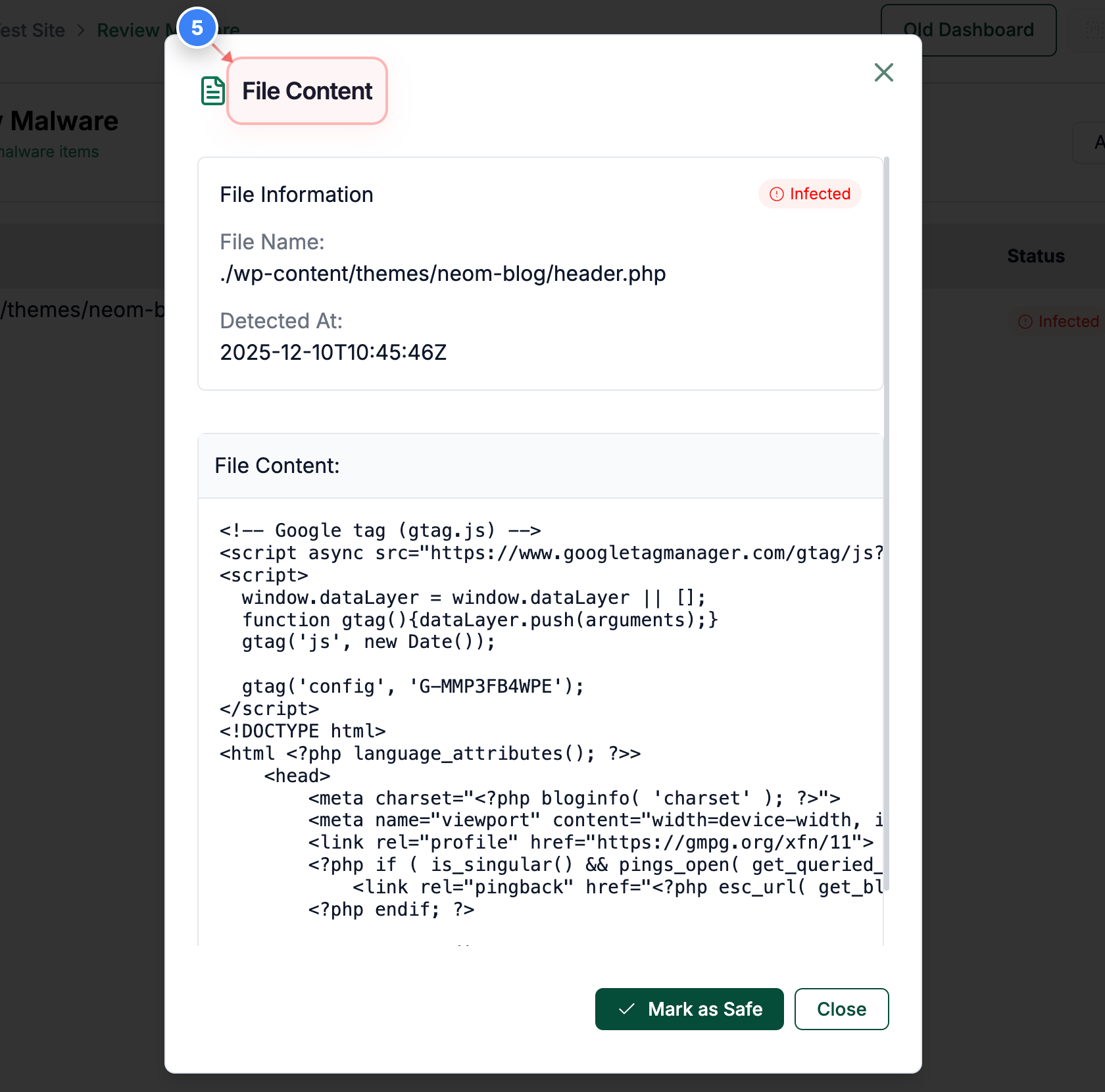
Step 5 of 5
View File Content
Click the File Content option in the file detail modal to see the full code of the detected file.
Note: Helpful for confirming injected code, anomalies, or unauthorised modifications.