How Do I Perform an On-Demand Scan?
Step 1 of 3
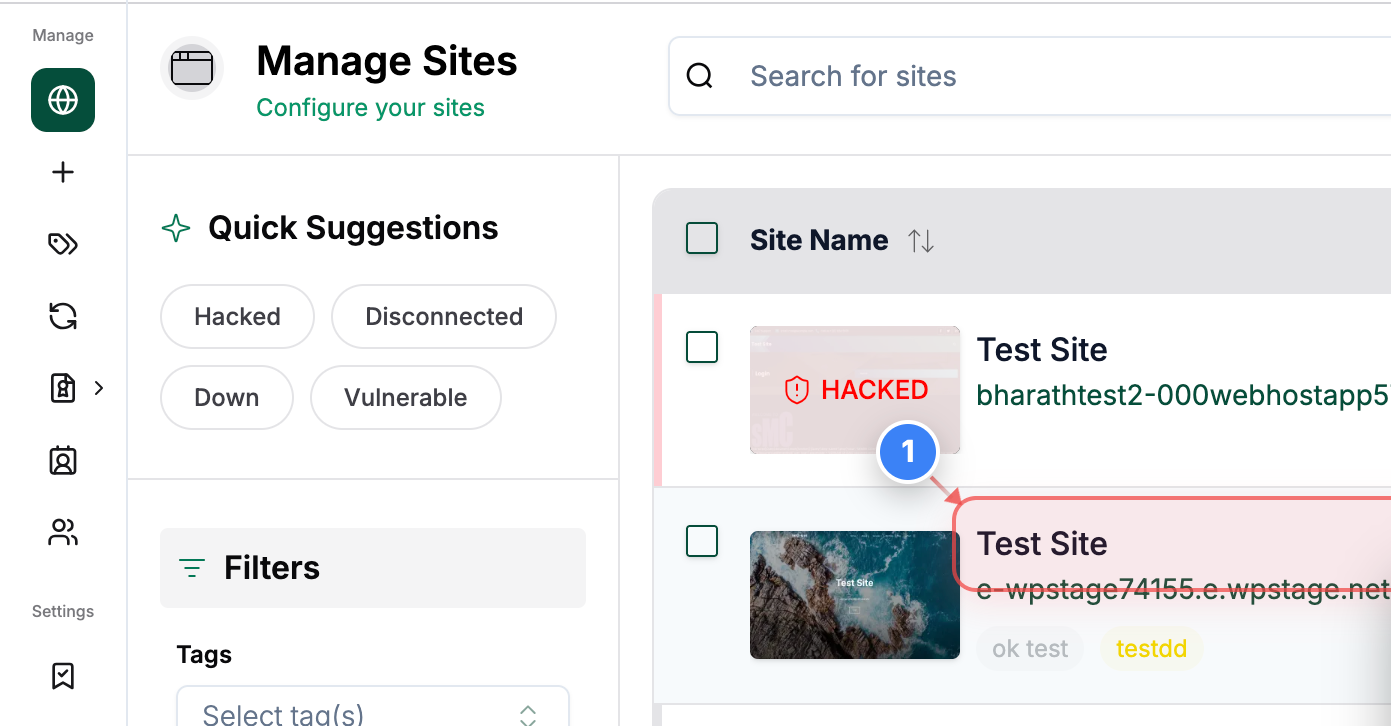
Open Your Site Dashboard
Click on your site name in the Sites page to open its management dashboard.
Note: This takes you to the site-specific control panel where security and backup tools are available.
Step 2 of 3
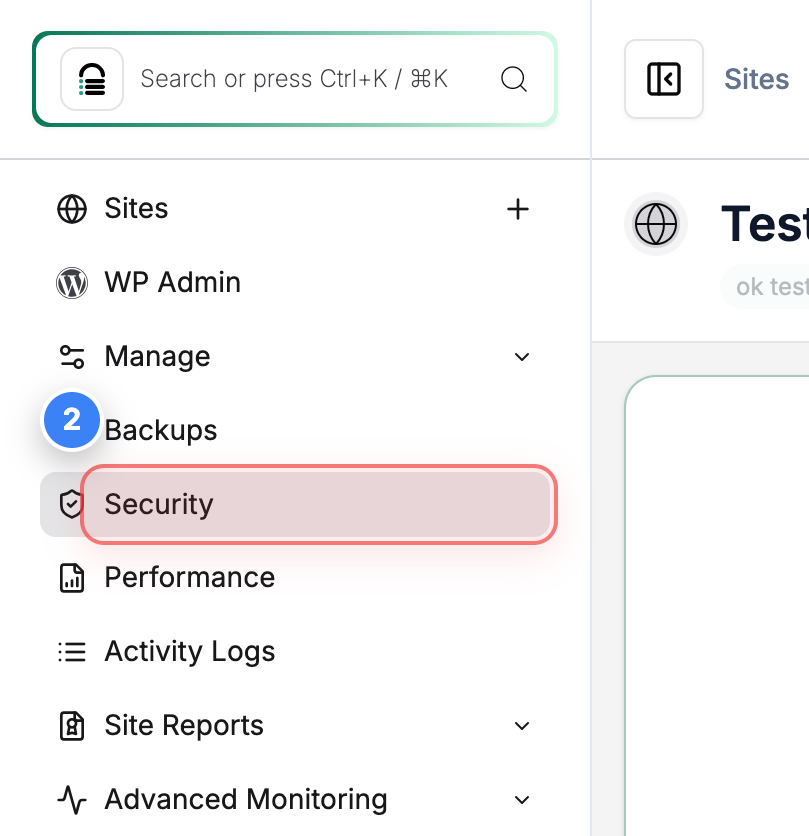
Access Security Tools
Click the Security option in the left sidebar to open the security overview and tools for your site.
Note: This area includes malware scans, firewall options, and security status.
Step 3 of 3
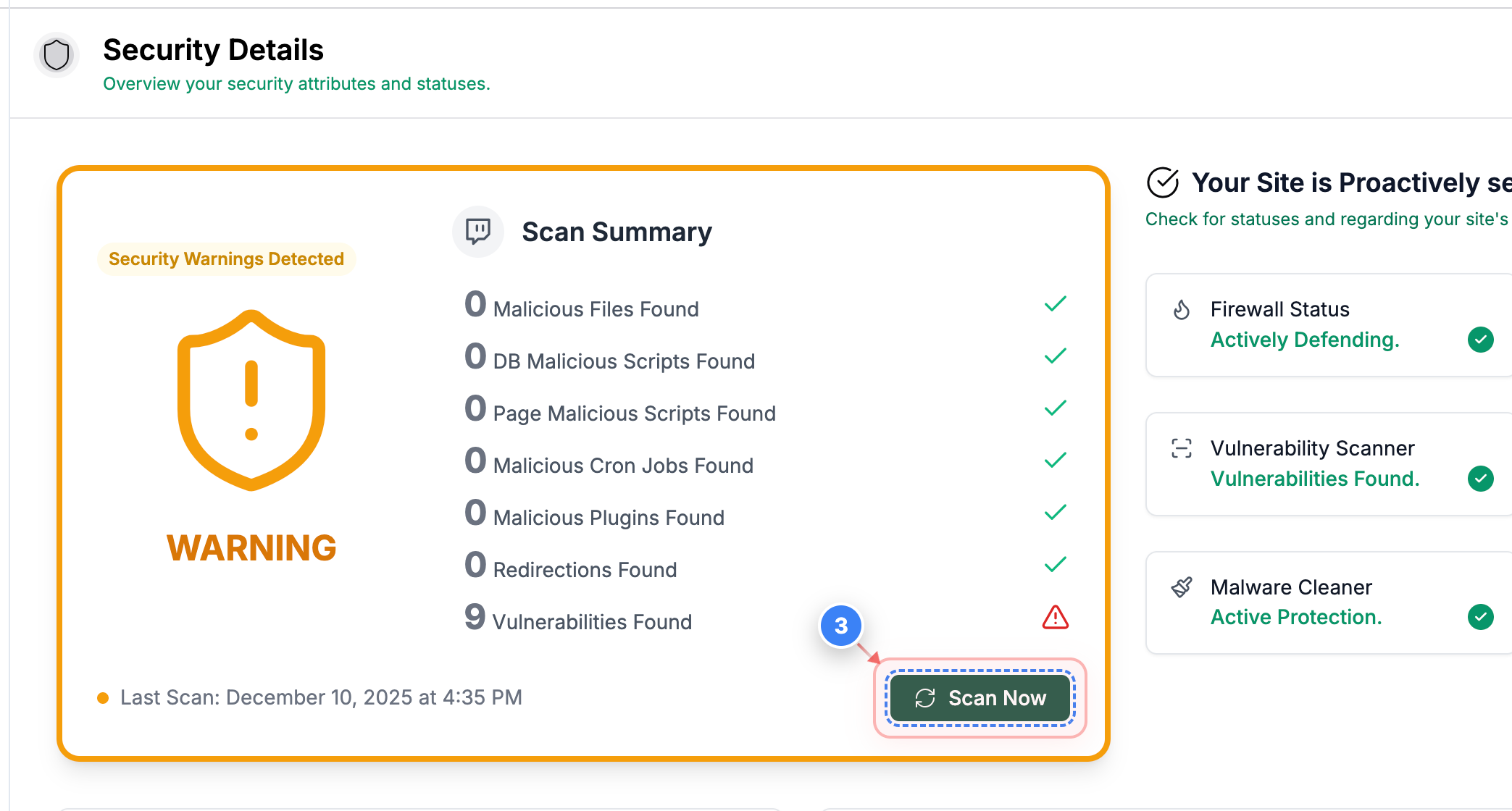
Start a Security Scan
Click the Scan Now button in the Security page to begin an immediate malware and threat scan of your site.
Note: Running a fresh scan helps identify any new threats since the last automated scan.