How Do I Clean My Website Using the Auto Cleaner?
Step 1 of 6
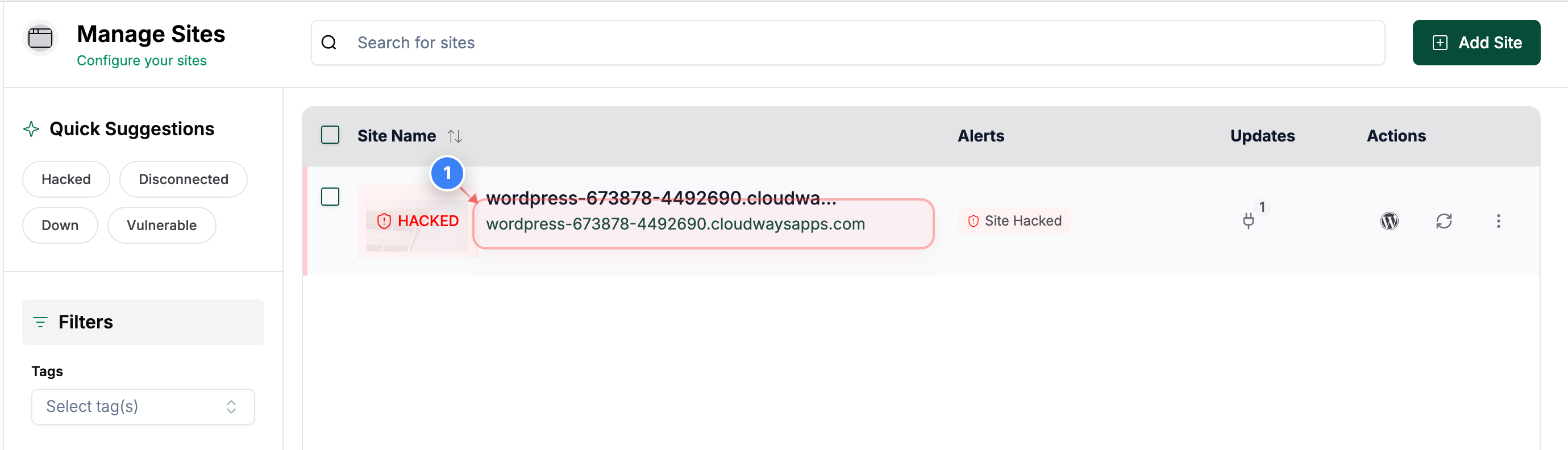
Open Your Site Dashboard
Click on your site in the Sites list to open its management dashboard.
Step 2 of 6
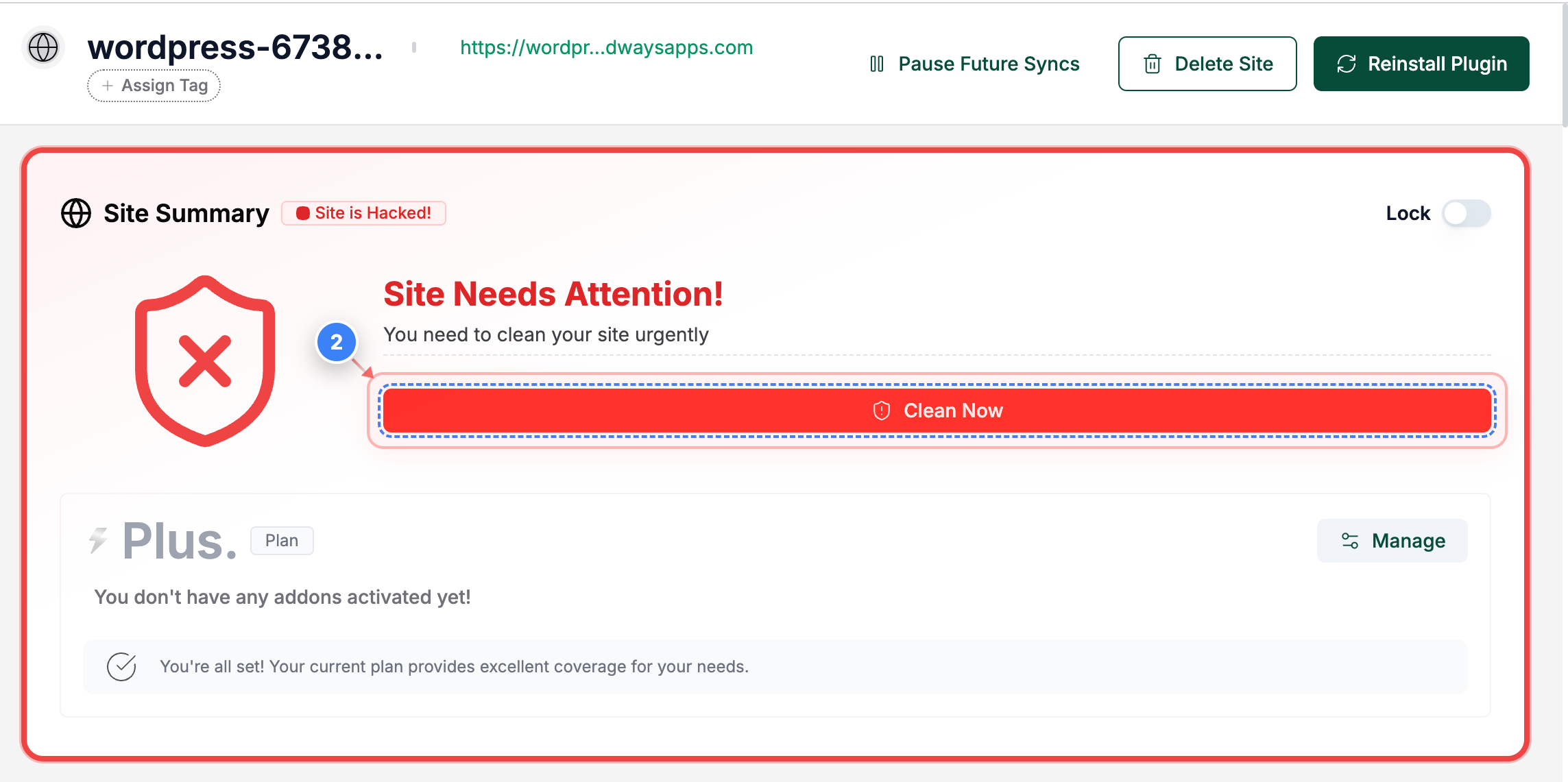
Start Malware Cleanup
Click the Clean Now button in the site overview page to begin the malware removal process.
Step 3 of 6
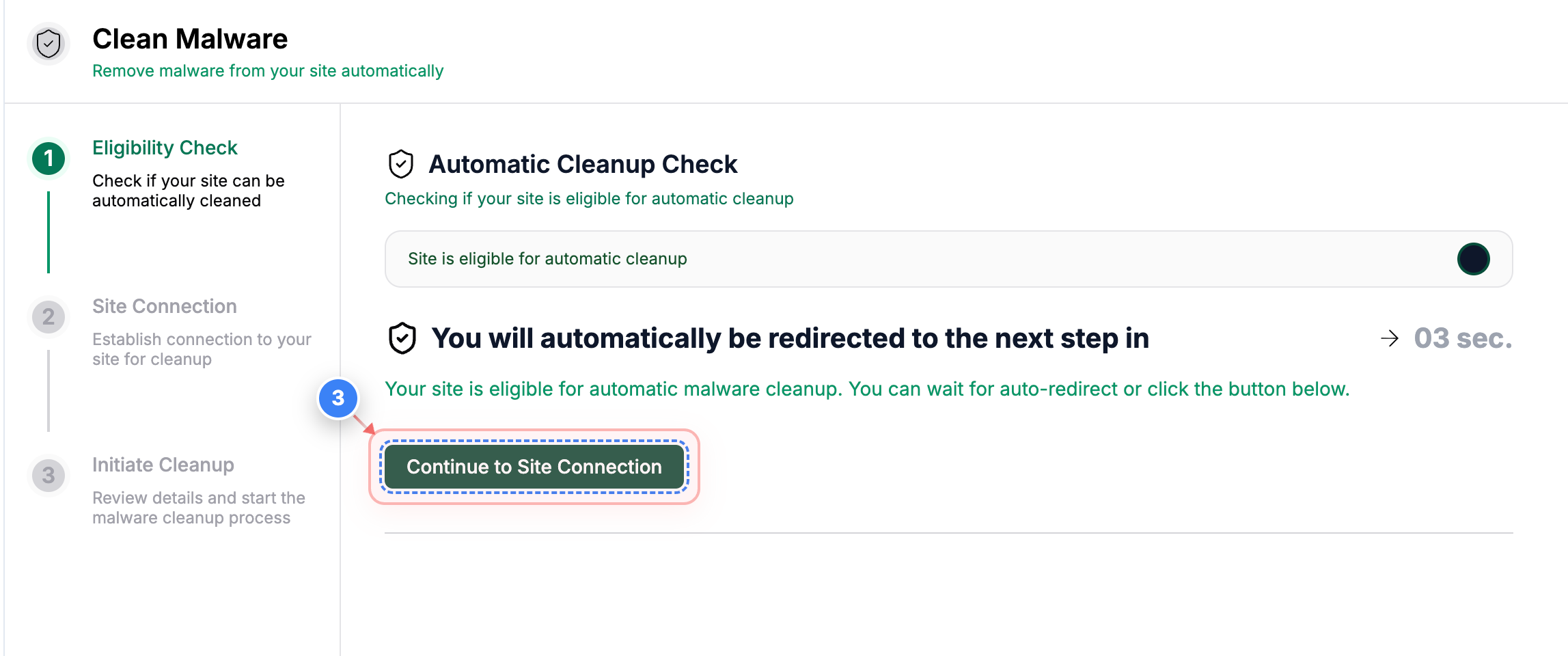
Proceed to Connection Check
Click the Continue to Site Connection button to move to the automatic connection verification step.
Step 4 of 6
Continue After Connection Checks
Click the Continue button at the bottom of the page to move forward after your site successfully passes all connection checks.
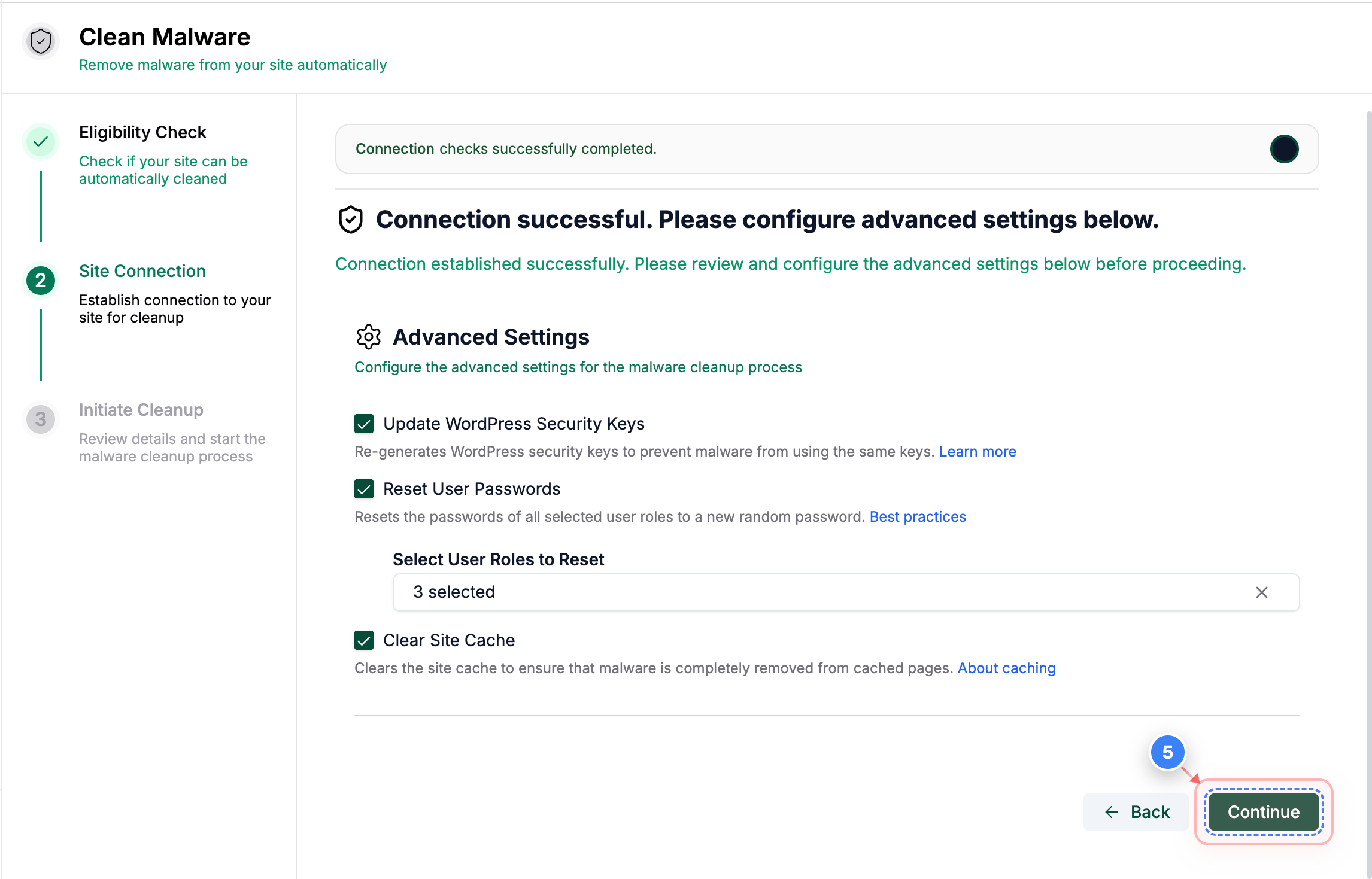
Step 5 of 6
Initiate Malware Removal
Click the Initiate button to begin scanning and cleaning malware from your site based on the selected options.
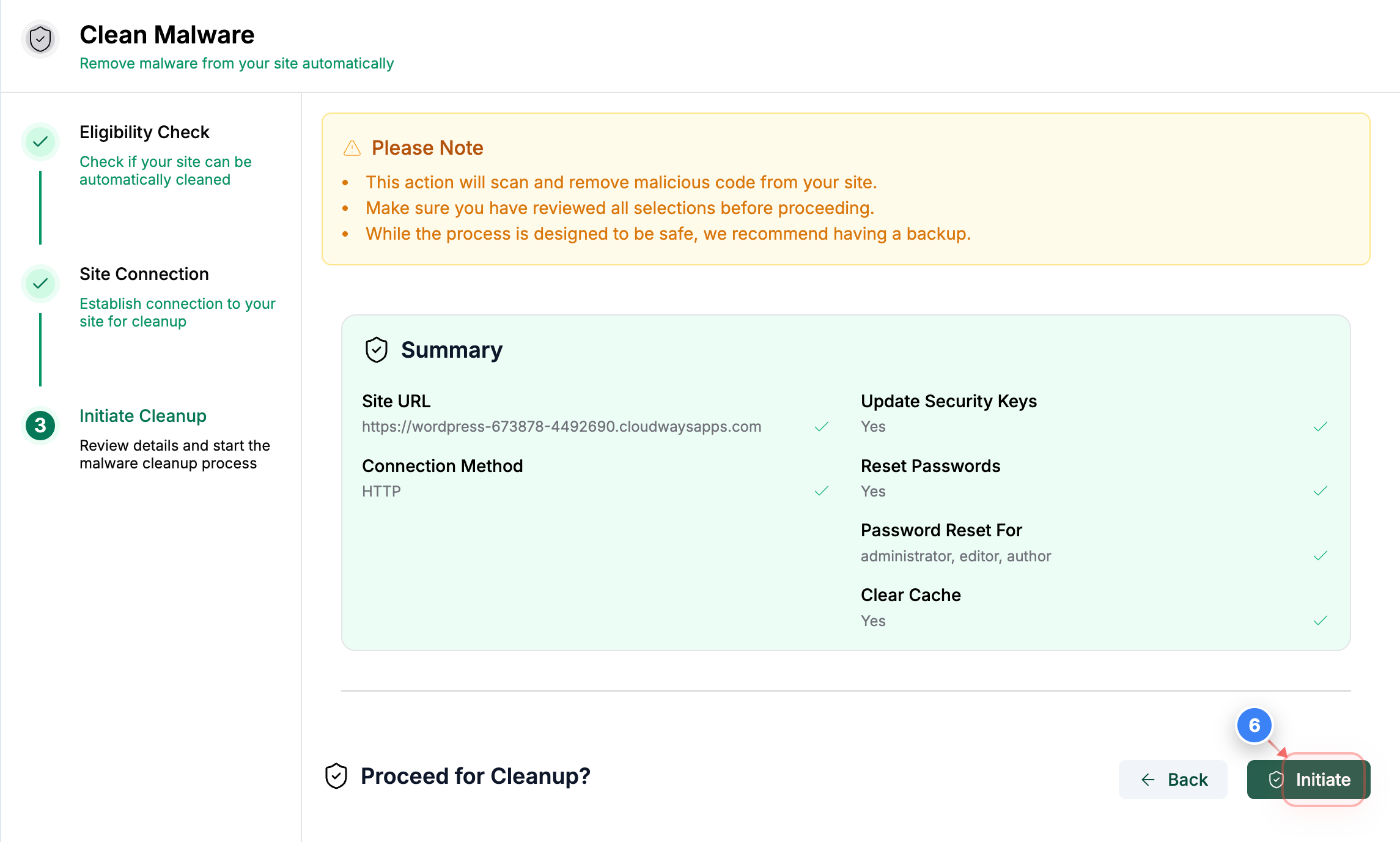
Step 6 of 6
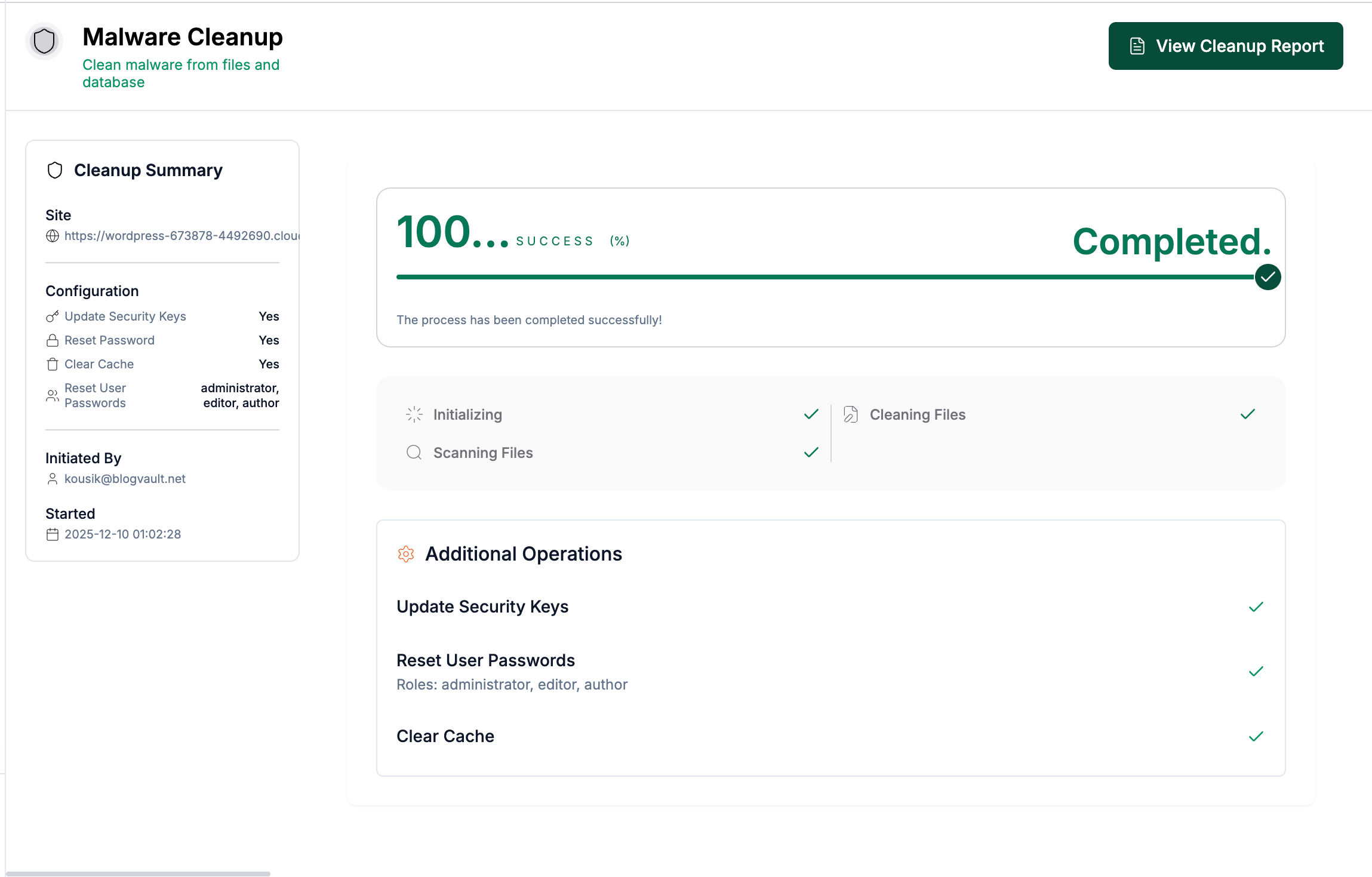
Review Cleanup Summary
Review the final malware cleanup summary, which shows the cleanup status, completed cleanup actions, updated security keys, reset passwords, cache clear results, and cleanup report.