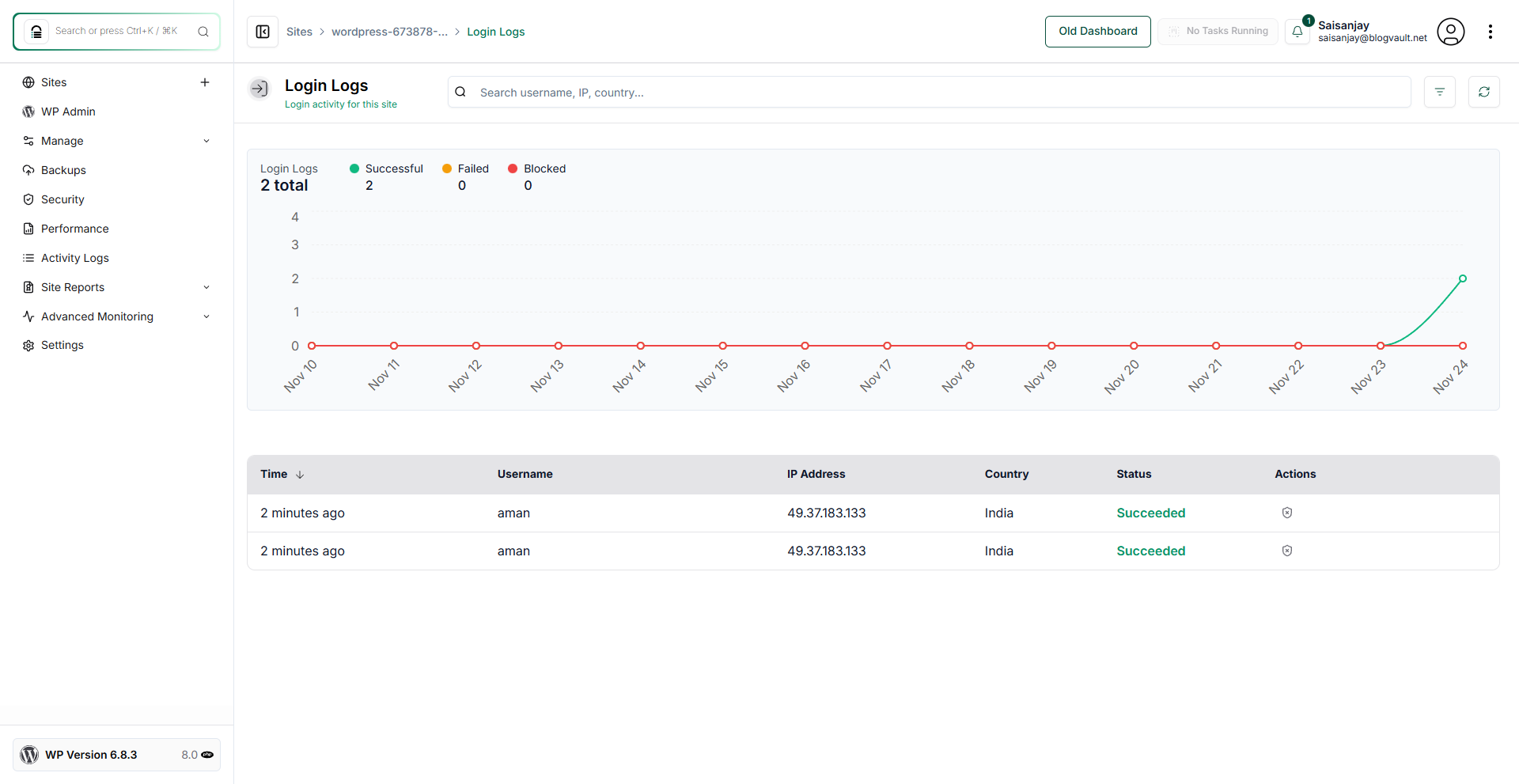
How Can I View the Login Logs for My Website?
Step 1 of 4
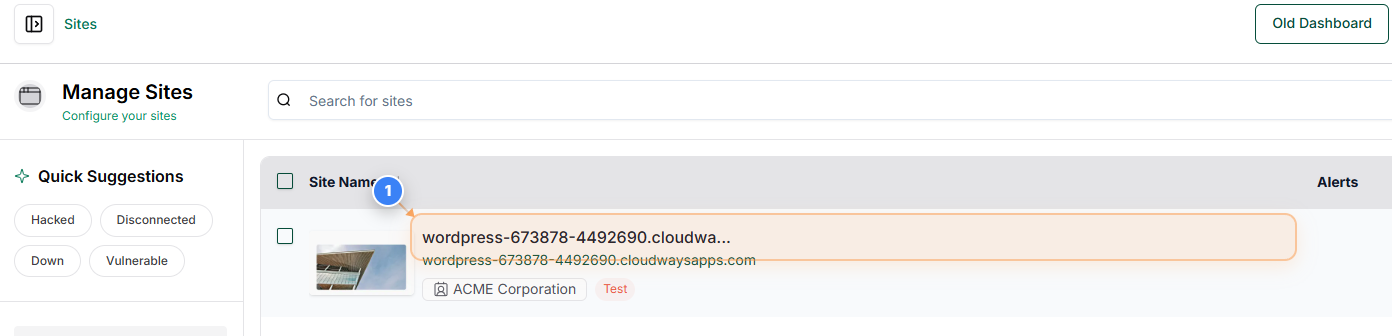
Open Your Site Dashboard
Click on your site name in the Sites list to open its management dashboard.
Note: Use this section whenever you need to access tools and settings for a specific site.
Step 2 of 4
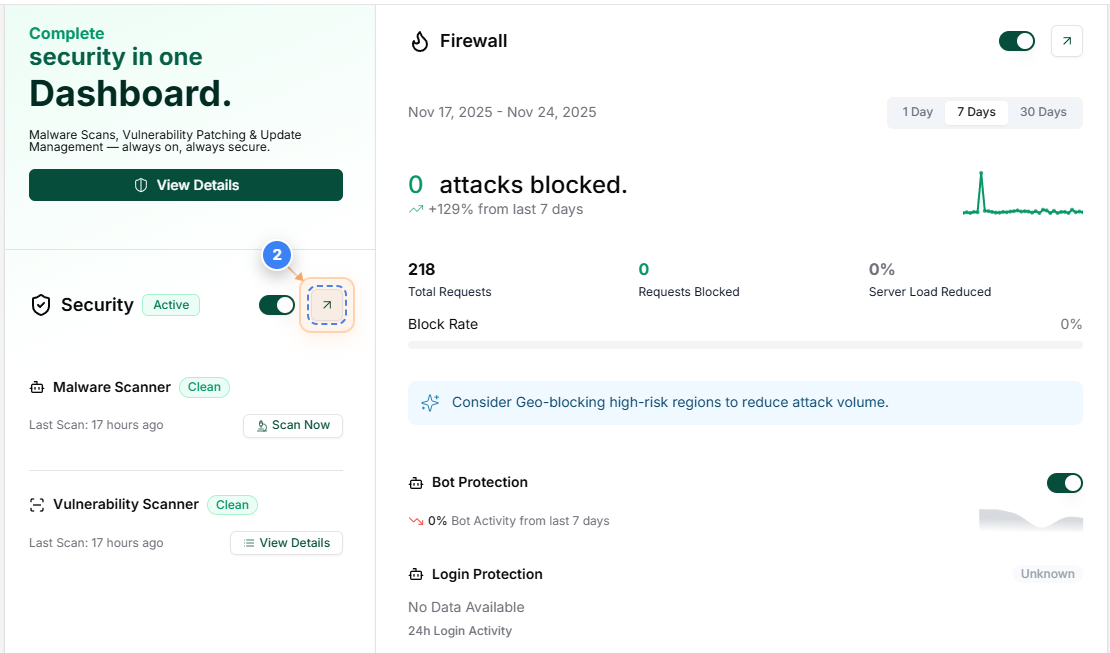
Access Security Overview
Click the Security section on your dashboard to view security features and controls.
Note: The Security area lets you review active protection, activity logs, and key security settings.
Step 3 of 4
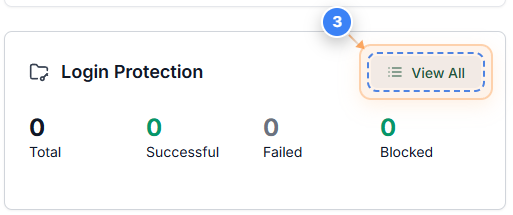
Open Login Protection Details
Click the View All option in the Login Protection area to review detailed login security activity.
Note: This section helps you analyze login attempts, blocked access, and suspicious behavior.
Step 4 of 4
Review Recent Login Activity
The Login Logs page shows detailed information about recent login attempts, including username, IP address, country, time, and whether the attempt succeeded or failed. You can also block an IP from the Actions section
Note: Look for unexpected usernames, repeated attempts from the same IP, or failed logins to identify possible unauthorized access attempts.