How Do I Enable the Firewall on My Site?
The firewall is enabled by default if it’s included in your subscription. You can also manually enable or disable the firewall for your site by following the steps below.
Step 1 of 3
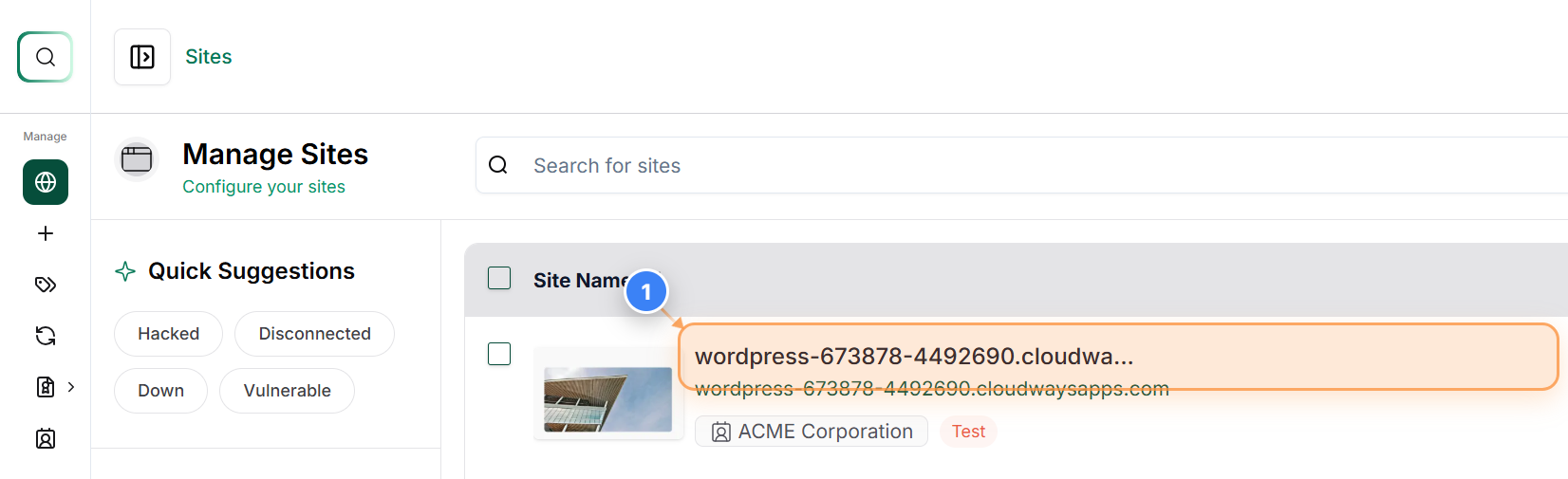
Open Site Management
Click on your site name in the center area to open its management dashboard and access site-specific options.
Note: This section lists all connected sites-selecting one will take you to its detailed settings and features.
Step 2 of 3
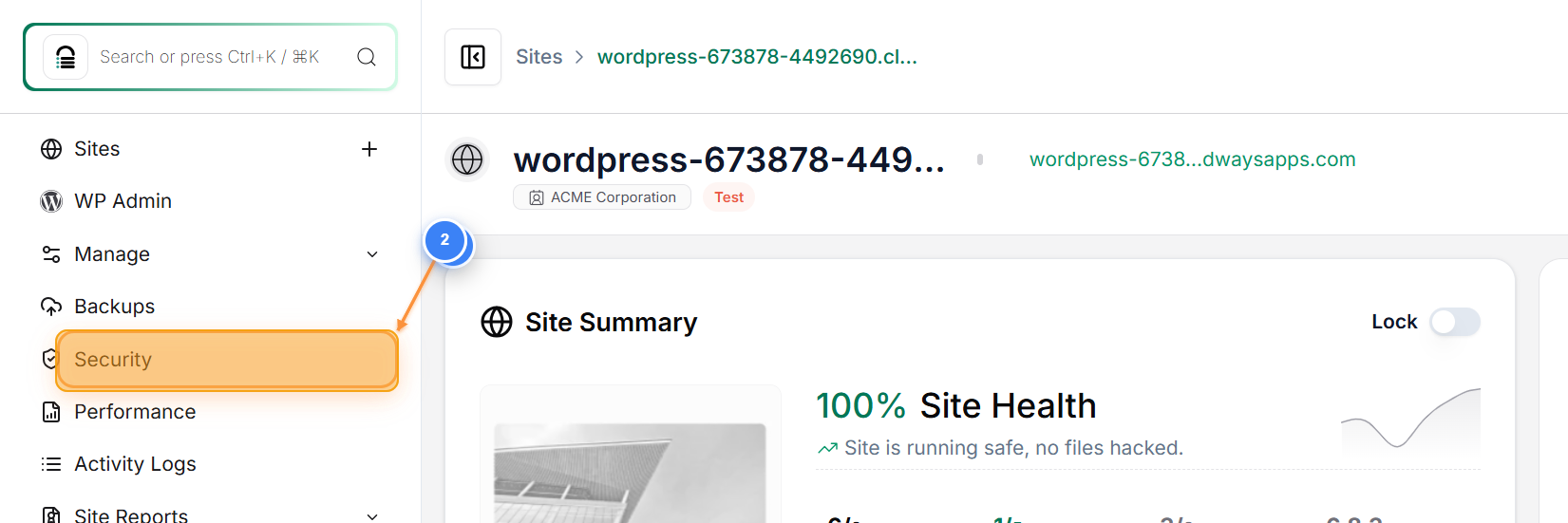
Access Security Settings
Click on the 'Security' option in the left sidebar to open the site's security management page.
Note: The Security section lets you view and configure firewall protection, malware scans, and other security features for the selected site.
Step 3 of 3
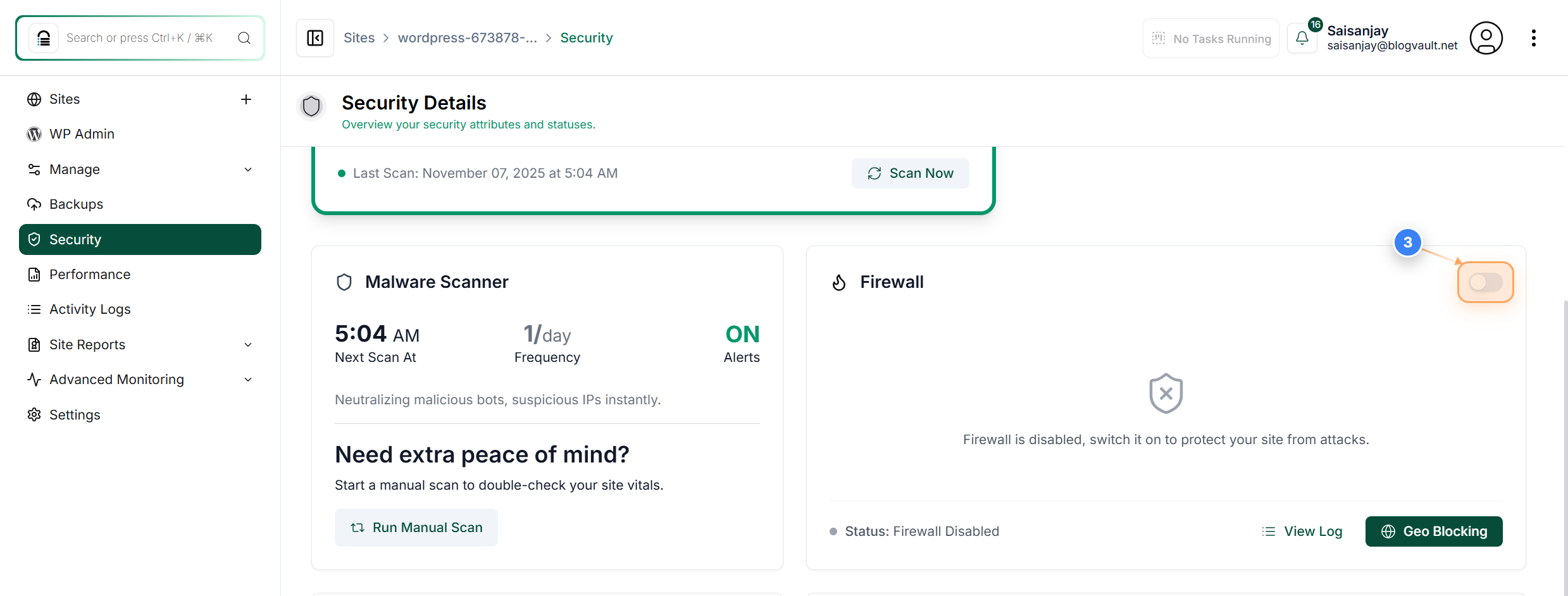
Enable or Disable Firewall
Click the toggle switch in the Firewall section on the right to turn the firewall on or off for your site.
Note: When the switch is turned on, the firewall actively protects your site from malicious requests. You can disable it temporarily if needed.