What does the threshold for visual changes mean?
The threshold for visual changes is a sensitivity setting that determines how much a page must change visually before an alert is triggered. A lower threshold means even minor changes will trigger an alert, while a higher threshold requires more significant changes. You can adjust this in your monitoring settings to suit your needs by following these steps ->
Step 1 of 5
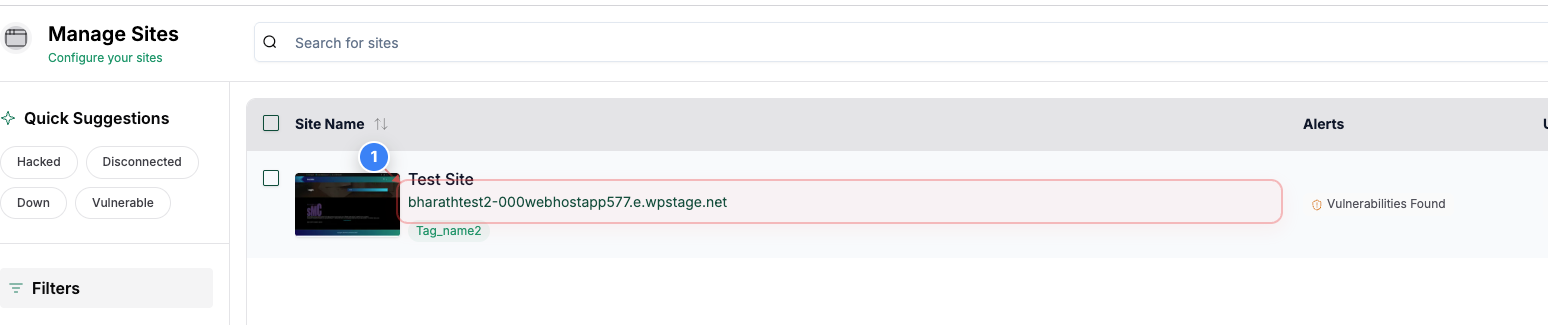
Open site dashboard
Click on your site name in the center of the Sites page to open its management dashboard.
Step 2 of 5
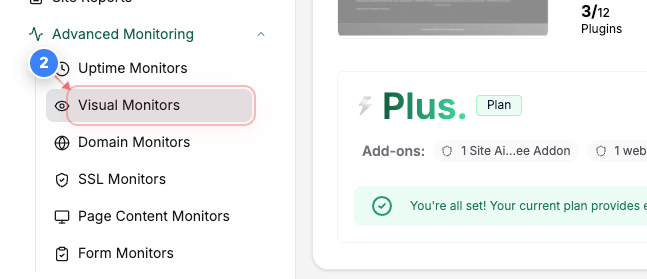
Go to Visual Monitors
Go To Advanced Monitoring and Click Visual Monitors in the left sidebar to view and manage visual monitoring for this site.
Step 3 of 5
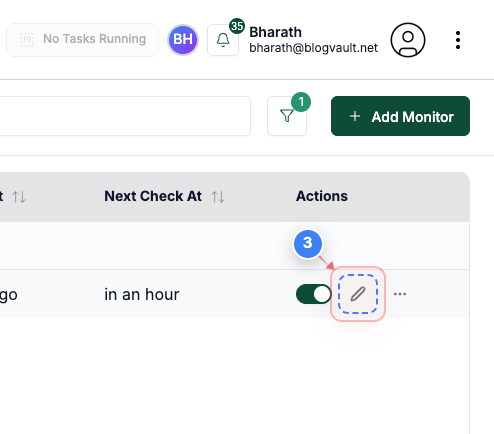
Edit a visual monitor
Click the edit option on the right side of the visual monitor row to open its configuration.
Note: Choose the monitor you want to update the Threshold
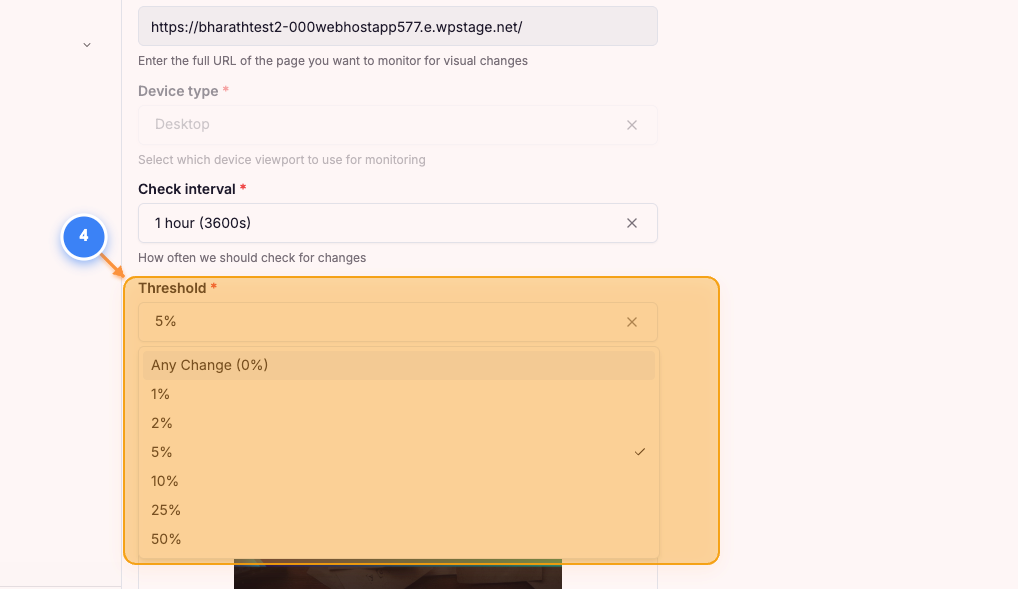
Step 4 of 5
Update Threshold
Click into the Threshold Dropdown and select the Threshold required for your website
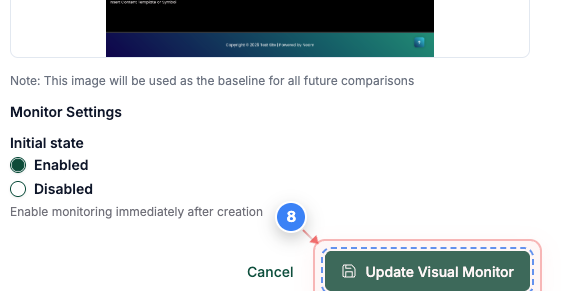
Step 5 of 5
Save visual monitor changes
Click the Update Visual Monitor button at the bottom of the page to save your changes.
Note: Make sure all settings are correct before saving, as changes affect future monitoring results.