
How Do I Change the Credit Card Linked to My Account?
Step 1 of 3
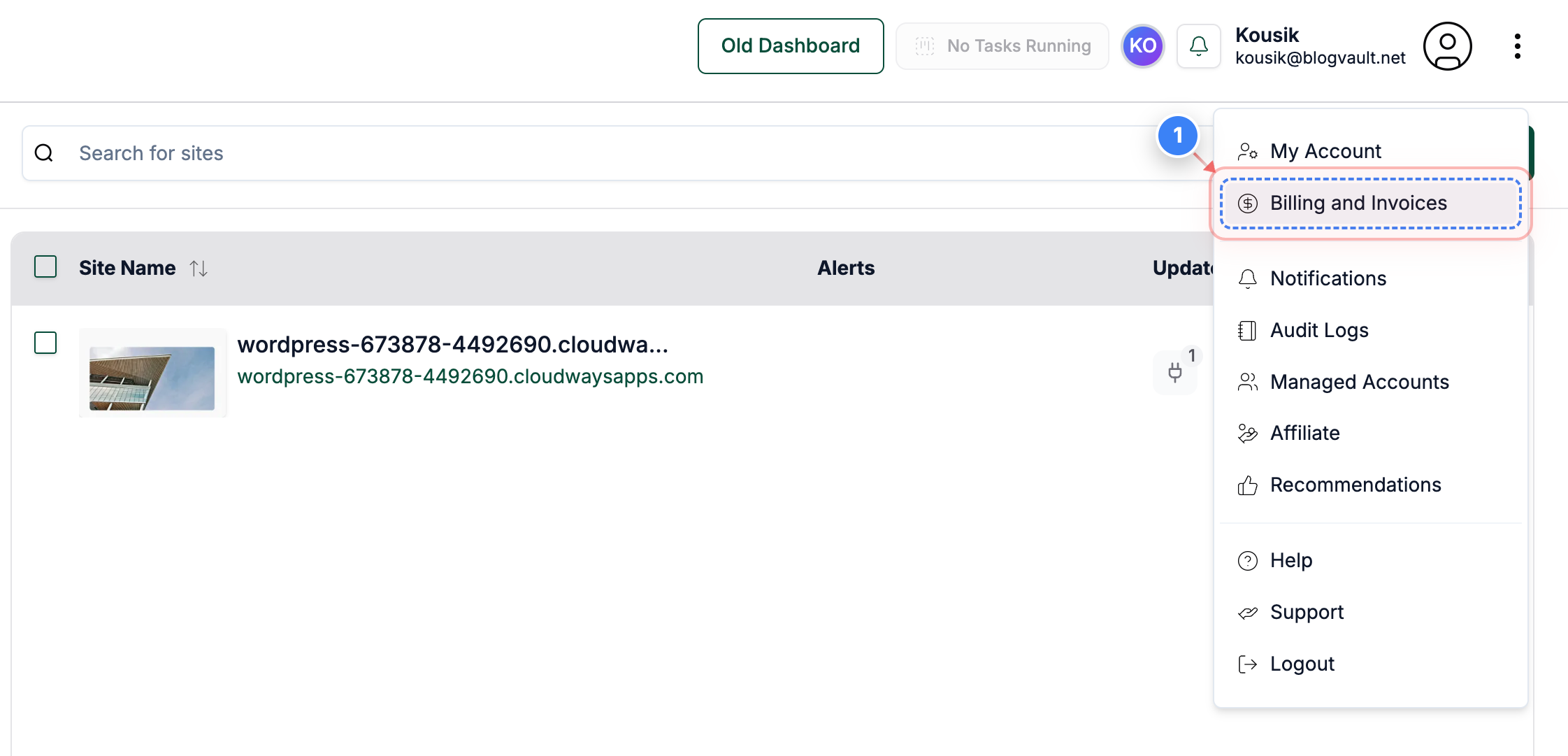
Open Billing and Invoices
Click the 'Billing and Invoices' option in the top navigation to access your billing information and payment details.
Note: This menu is located on the right side of the top bar.
Step 2 of 3
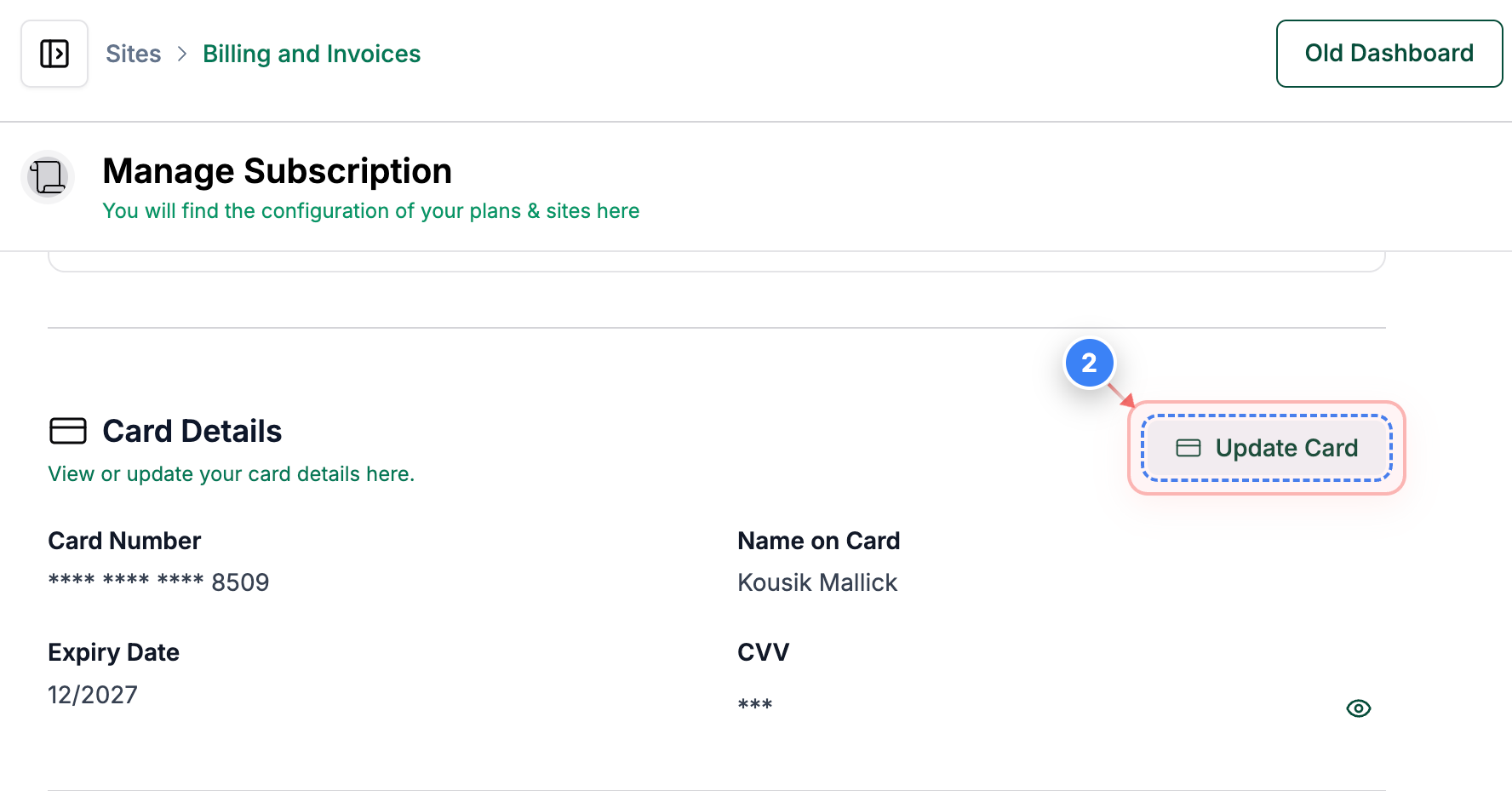
View/Update Card Details
Select the 'Update Card' button in the Card Details section to open the page where you can update your card details linked to your account.
Note: The Card Details section is found in the middle of the Billing and Invoices page.
Step 3 of 3
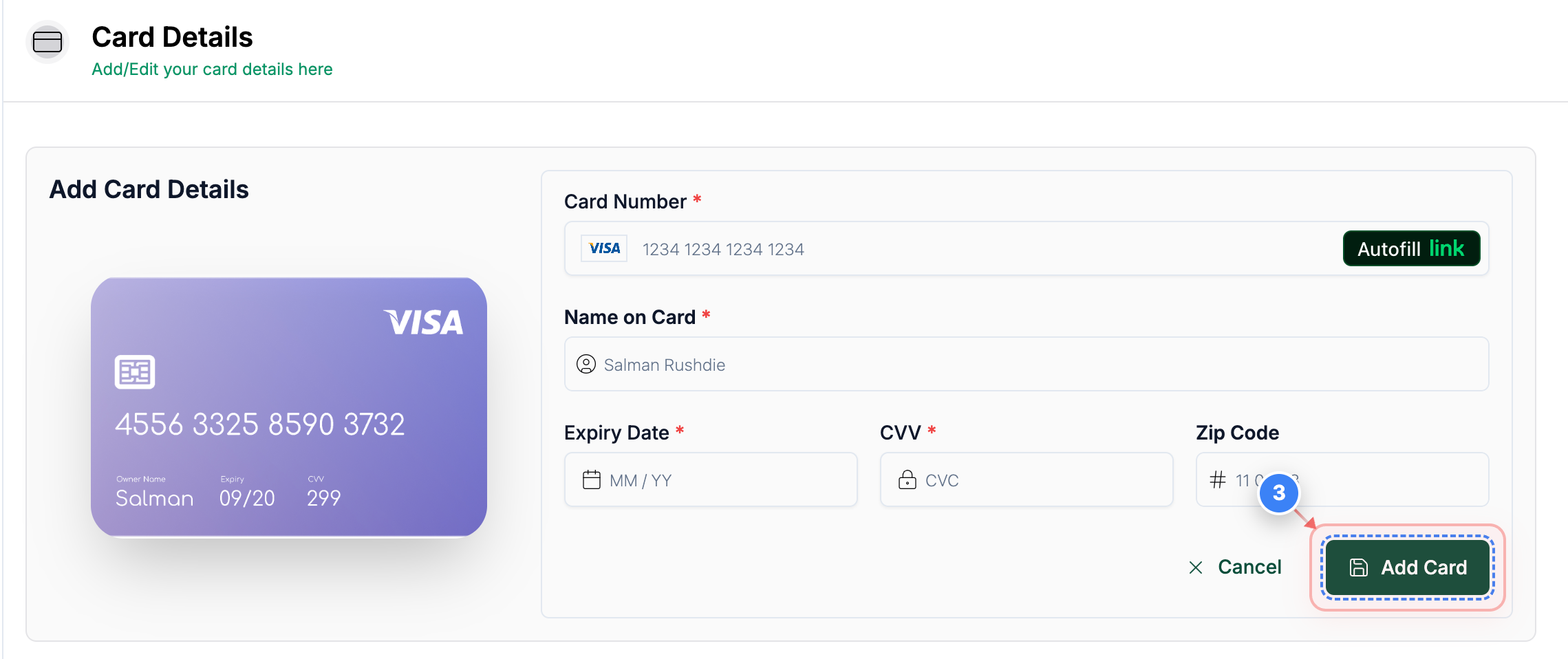
Add New Card Details
Once you have entered the new card details, click the 'Add Card' button on the right side of the page to proceed with entering your new card information.
Note: Ensure you have your card number, expiry date, and security code ready.
P.S: If you face any issues changing your credit card details, you can contact support.