How Do I Create a Campaign?
Step 1 of 4
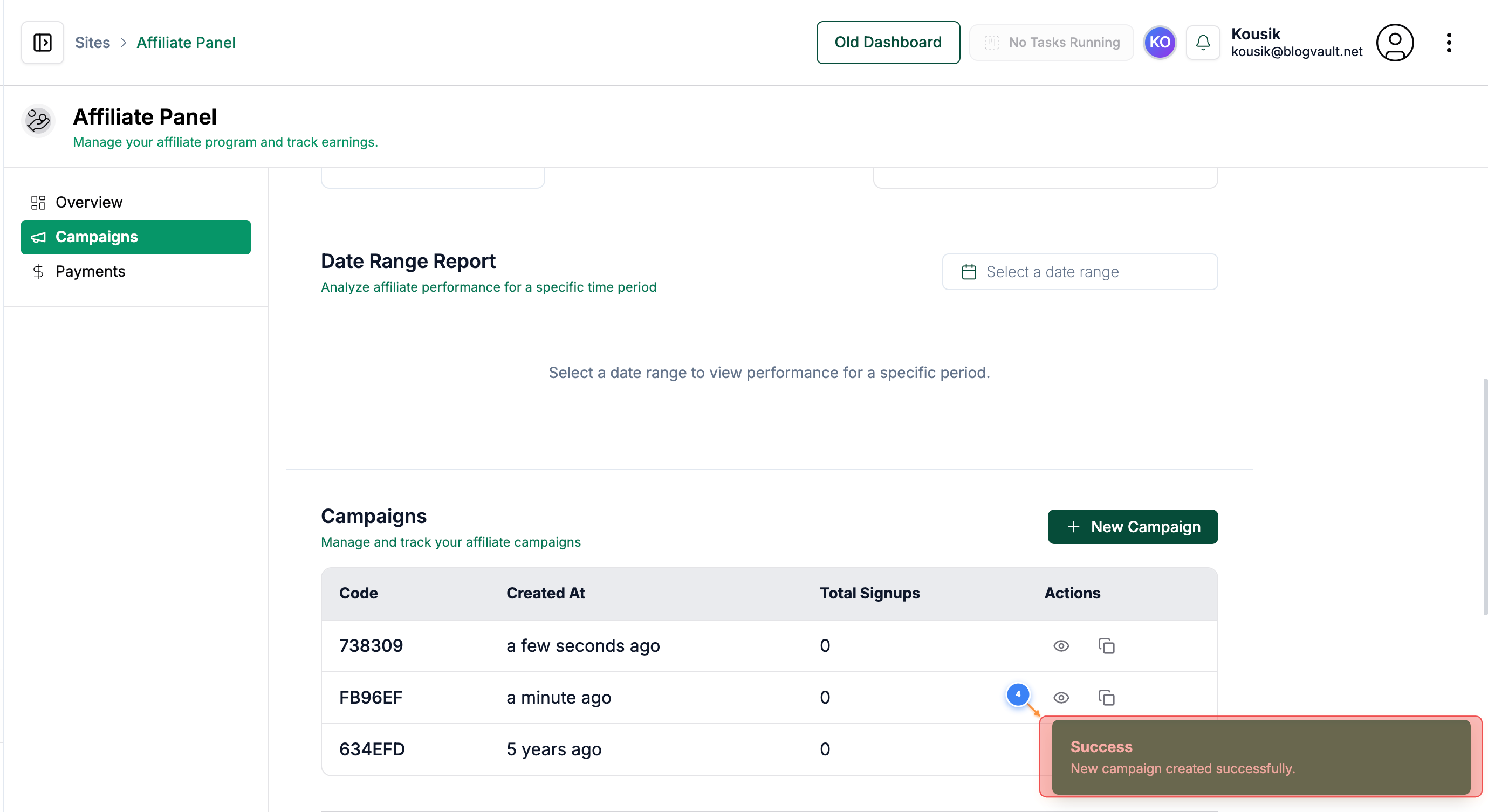
Access Affiliate Section
Click on the 'Affiliate' link from the menu in the top right section of your dashboard to access your affiliate program options and referral tools
Note: This section allows you to view your affiliate link, performance metrics, and program resources
Step 2 of 4
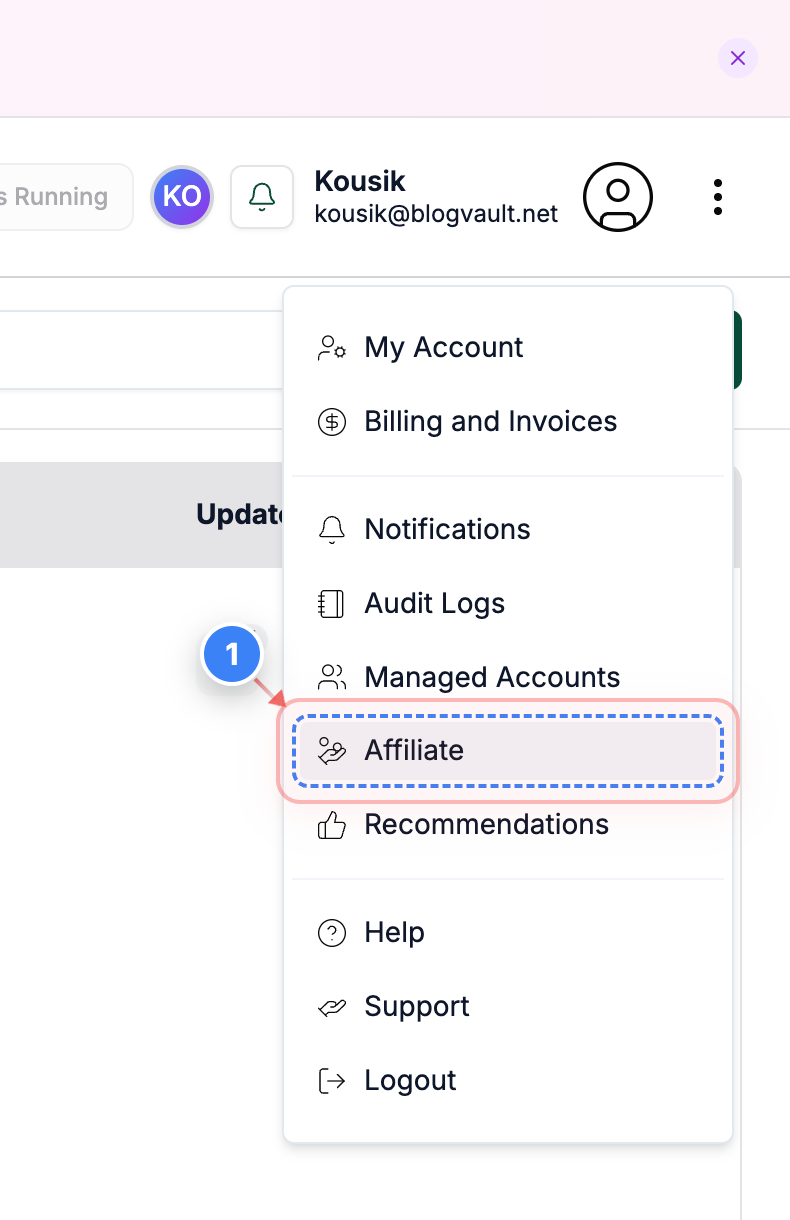
Open Campaigns Overview
Click the 'Campaigns' button on the left side of the Affiliate page to view and manage all your affiliate campaigns
Note: Use this area to track campaigns
Step 3 of 4
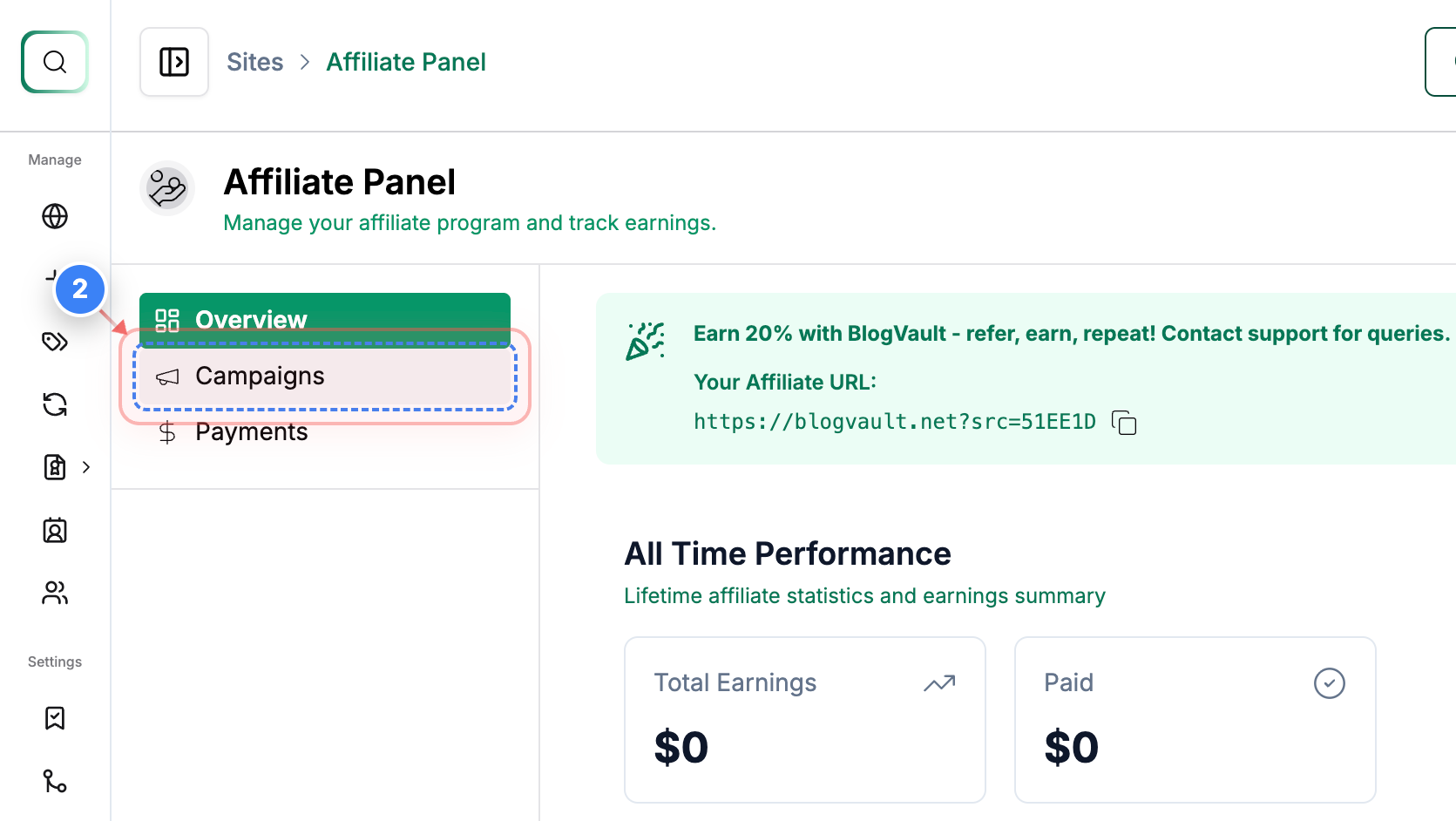
Create New Campaign
Click the 'New Campaign' button on the right side of the Campaigns section to start a new affiliate campaign
Note: This will create a new campaign
Step 4 of 4
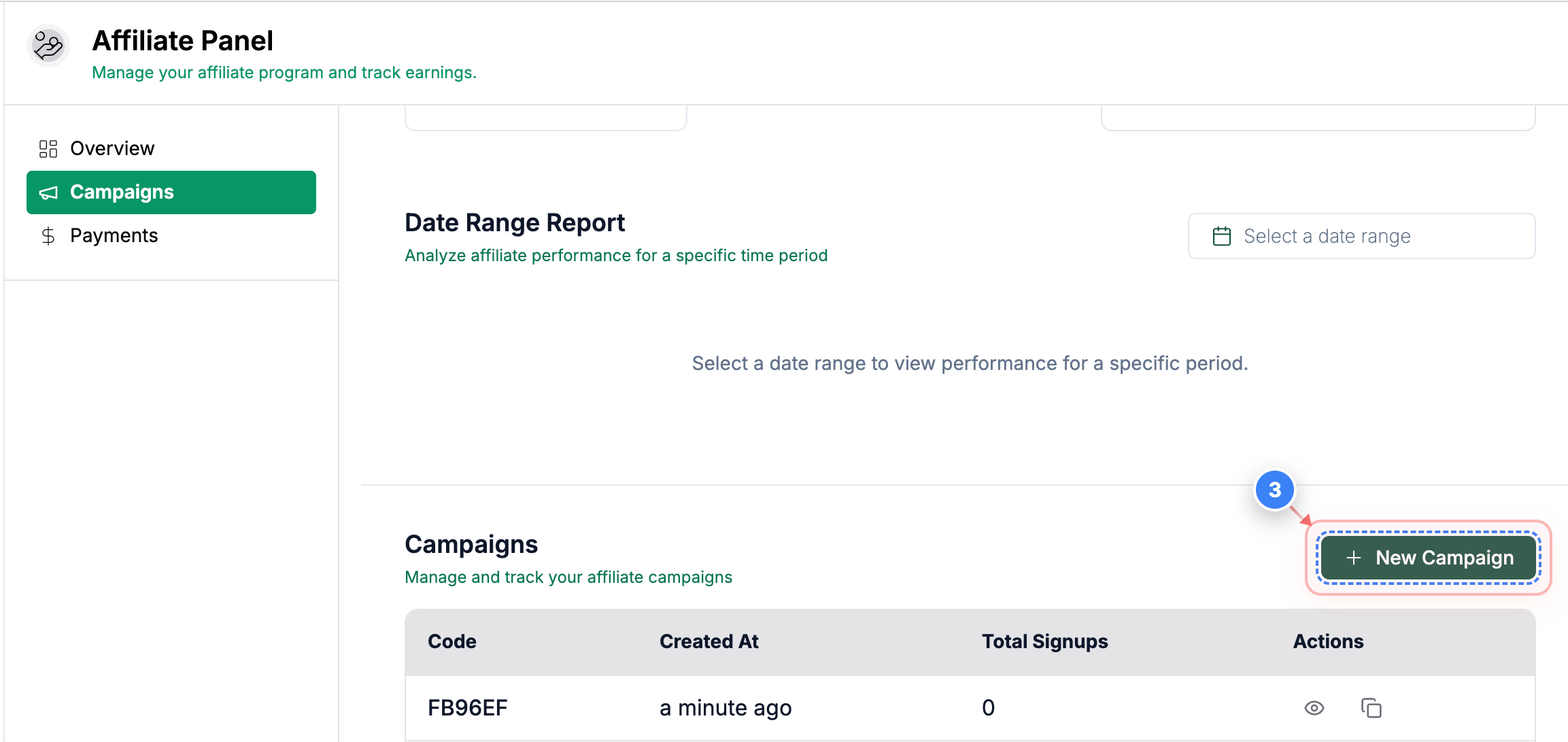
Review Campaign Panel
On the Affiliate Campaigns page, review your newly created campaign in the table. Check the 'Campaigns' table for the campaign code, creation date, total signups, and actions available
Note: Look for the success message 'New campaign created successfully' to confirm the campaign is active. Use the copy button to copy the affiliate URL from that campaign & also track it from there